Hi Everyone,
I'm stuck on what should be a simple issue. I created a PowerTable as the author, then added a user under Security and assigned them to the relevant role(s). I've confirmed the user has access to both the database and the connector the table uses, but they still get an error message when opening it. Everything works fine for me as the author.
I even tried raising the user's permissions to Workspace Admin, but that didn't help either.
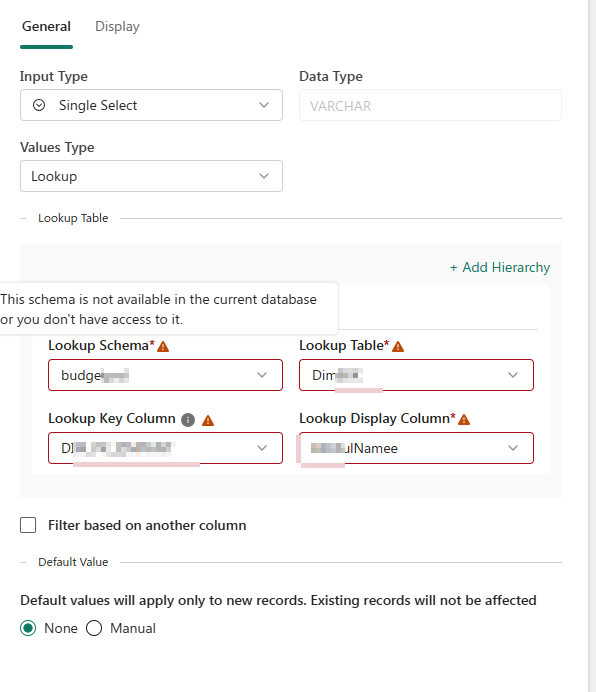
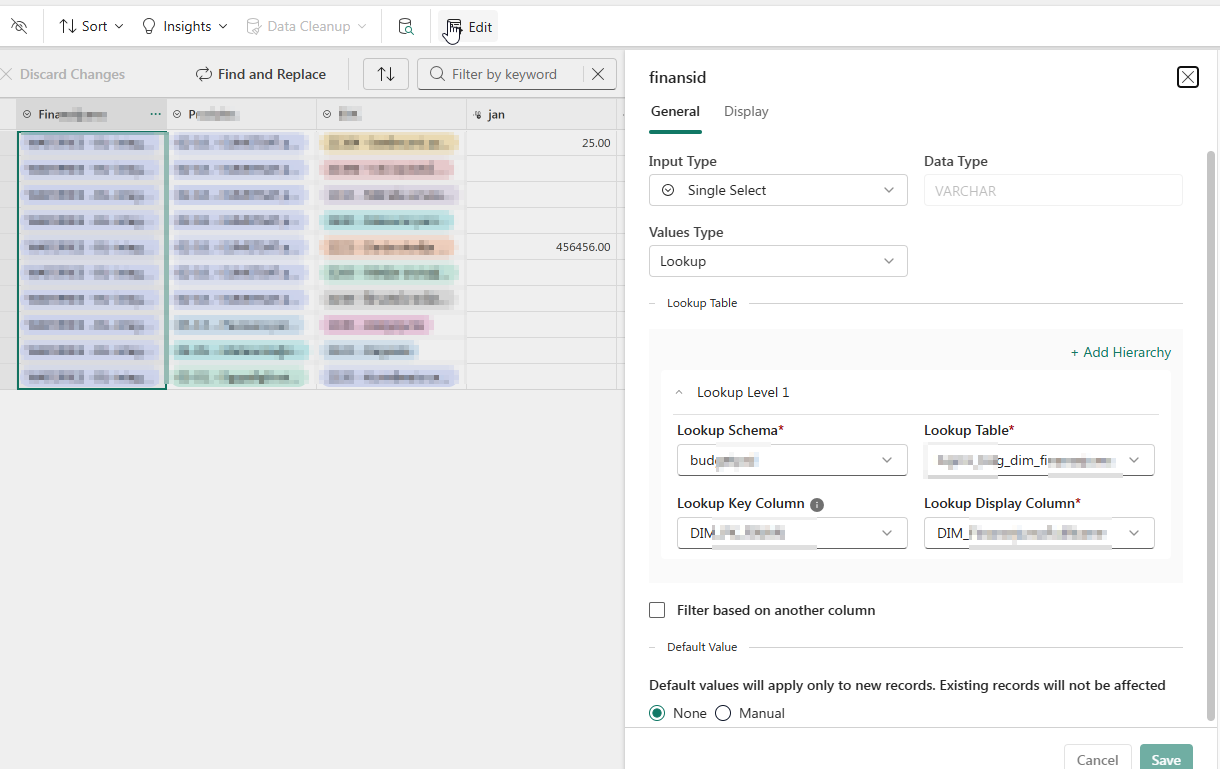
It looks like the issue is tied to a column I converted into a lookup. That's what puzzles me, because the user does have permission to read that data in the database.
Has anyone run into this before, or have an idea what I might be missing?

User perspective
My perspective
4 Replies
Hi everyone,
We're experiencing the same issue.
Initially, I shared the Plan item with the user, but they had no access to the PowerTable sheets at all. Following the troubleshooting page (Troubleshoot | Plan), I added the user to the db_datareader role in the underlying Fabric SQL Database. After that, the user was able to open, view, and edit the sheets successfully.
However, all sheets that contain lookup columns or references to other tables still fail with the same behavior described by the OP.
To investigate further, I:
- Granted the user additional permissions on the connection.
- Verified that the user can successfully query the database.
- Confirmed that the user can see the relevant schemas and tables.
- Confirmed that the user has SELECT access to the lookup tables.
When the affected user opens the column configuration, PowerTable only allows them to discover objects in the dbo schema. The schema containing the actual application tables is not available there, even though the user can access those tables directly in the database.
As a result, any sheet containing lookups appears to fail with a "schema changes detected" error for that user.
I also tested creating a new connection, but the behavior remained unchanged. Looking for ideas on how to resolve this issue.
Hi Dmitrijs and Ludwig,
Please do one of the following to ensure that your end users can access the PowerTable database:
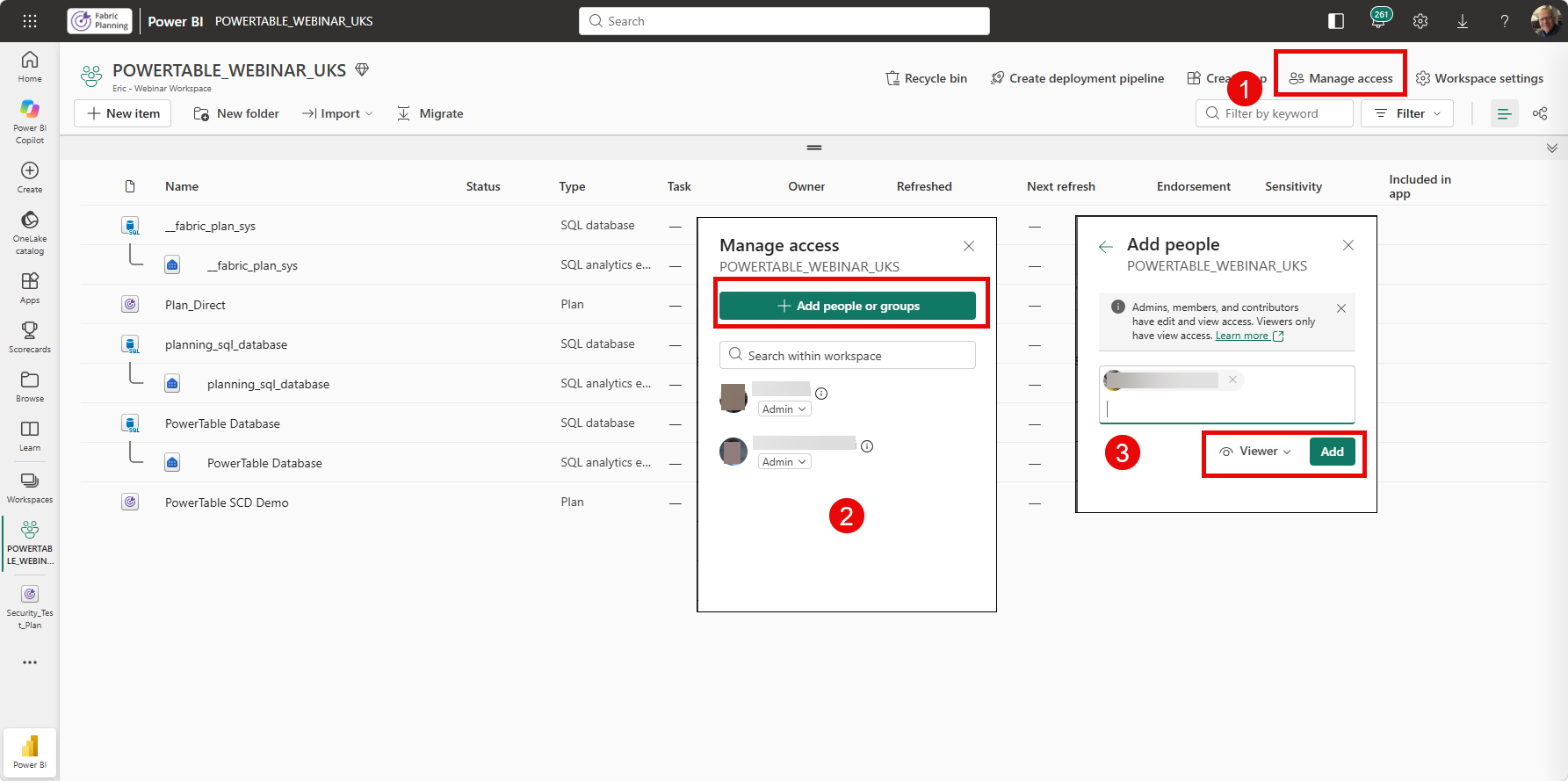
- Grant them a workspace role in the workspace that contains the SQL database - Viewer is fine.
- Go to Manage Access
- Click add people or groups
- Enter the person's email OR the group that contains your end users
- Click Add

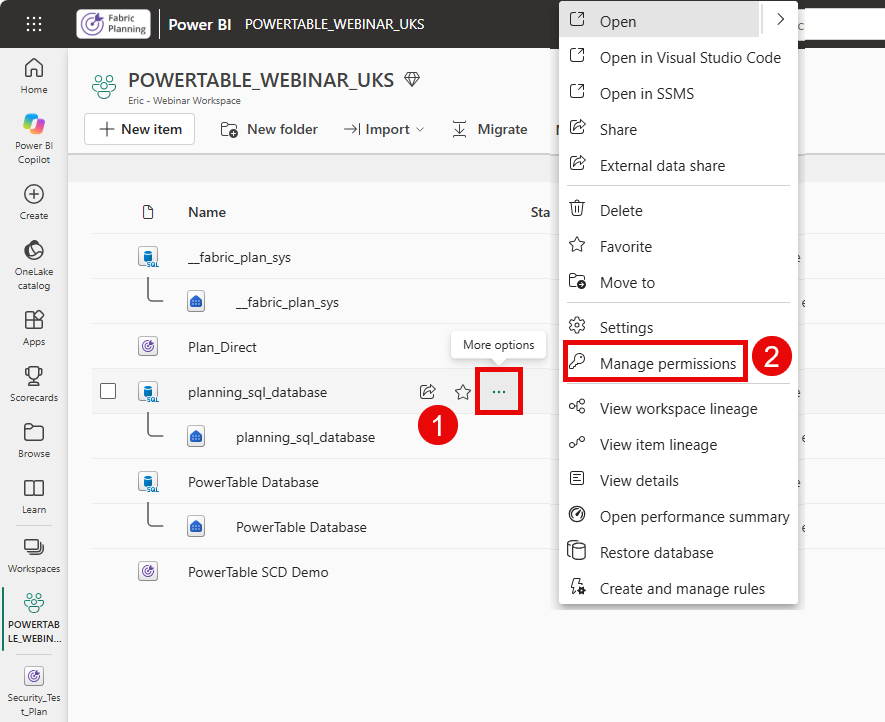
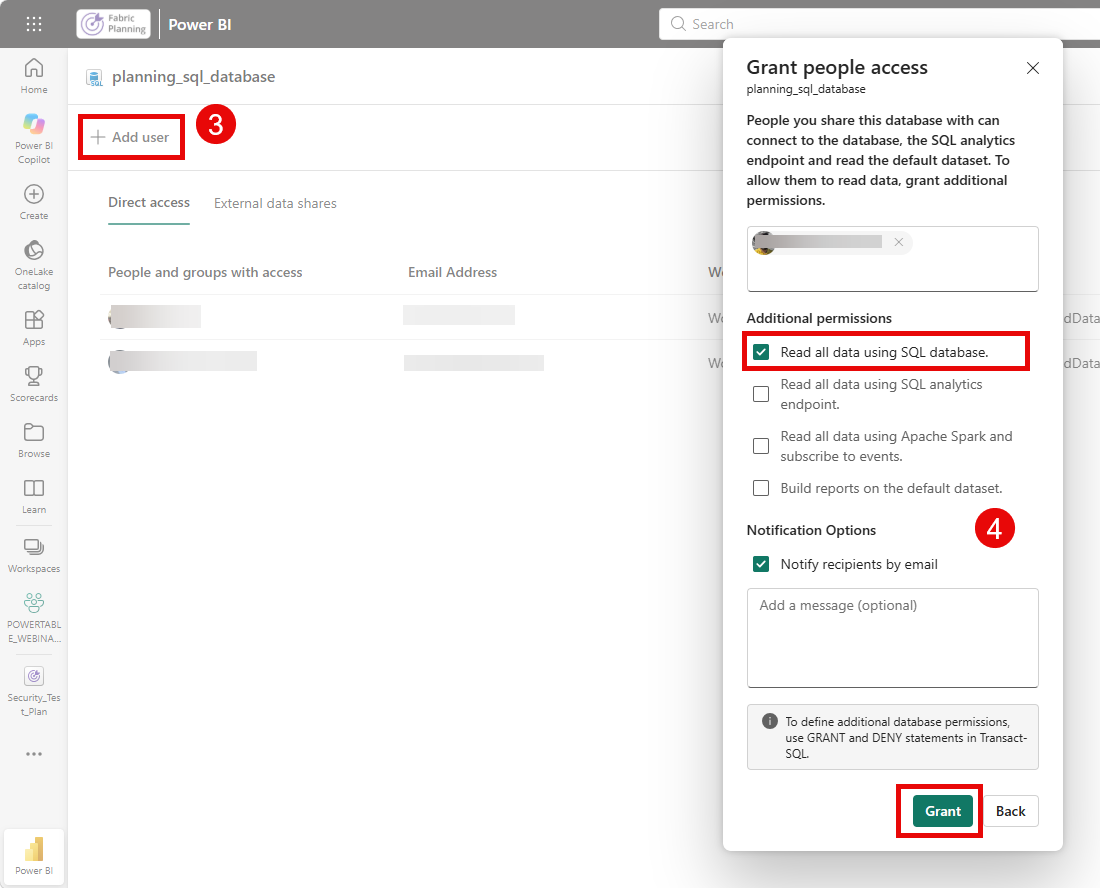
- Grant them direct access to the SQL database by giving them Read All permission
- Go to the More Options (...) button for the SQL database
- Click Manage Permissions
- Enter the person's email OR the group that contains your end users
- Click Grant


Viewing 4 replies - 1 through 4 (of 4 total)