
Hi,
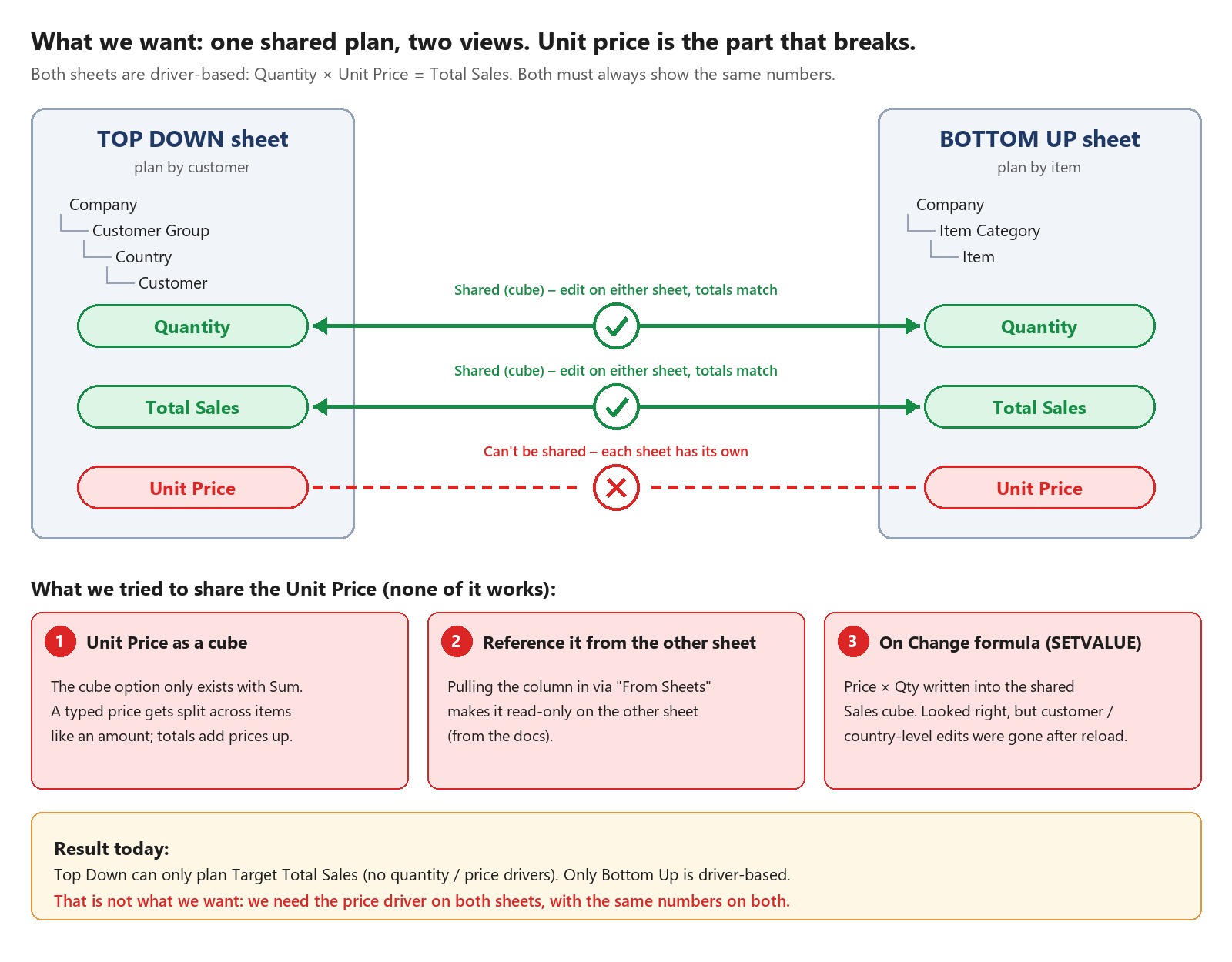
I'm trying to set up driver-based sales planning (Qty × Unit Price = Sales) on two sheets: Top Down by customer and Bottom Up by item. Both should always show the same numbers.
Main issue: the unit price can't be shared between the two sheets. Quantity and Sales work fine as cubes; I can edit them on either sheet and the totals match. But I can't find a way to share the unit price (see the diagram):
- As a cube it only allows Sum, so a typed price gets split like an amount.
- Referenced from the other sheet, it's read-only.
- Writing Qty × Price into the Sales cube with SETVALUE looked fine, but customer-level edits were gone after a reload.
So right now Top Down can only plan total sales, which isn't what we need.
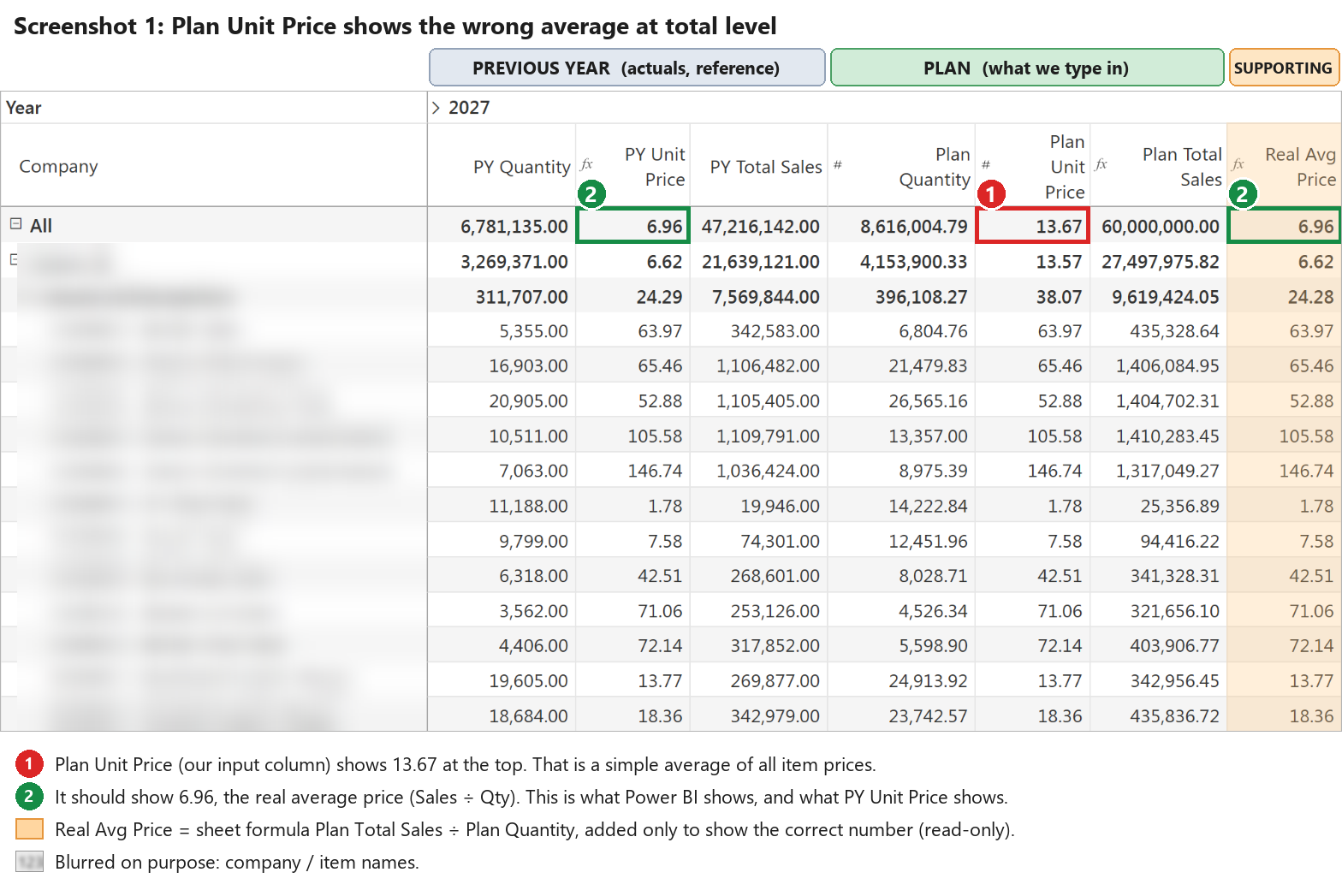
Second issue: the plan unit price on Bottom Up.
- At total level the input shows a simple average, 13.67 instead of 6.96 (the real Sales ÷ Qty, same as Power BI). Screenshot 1
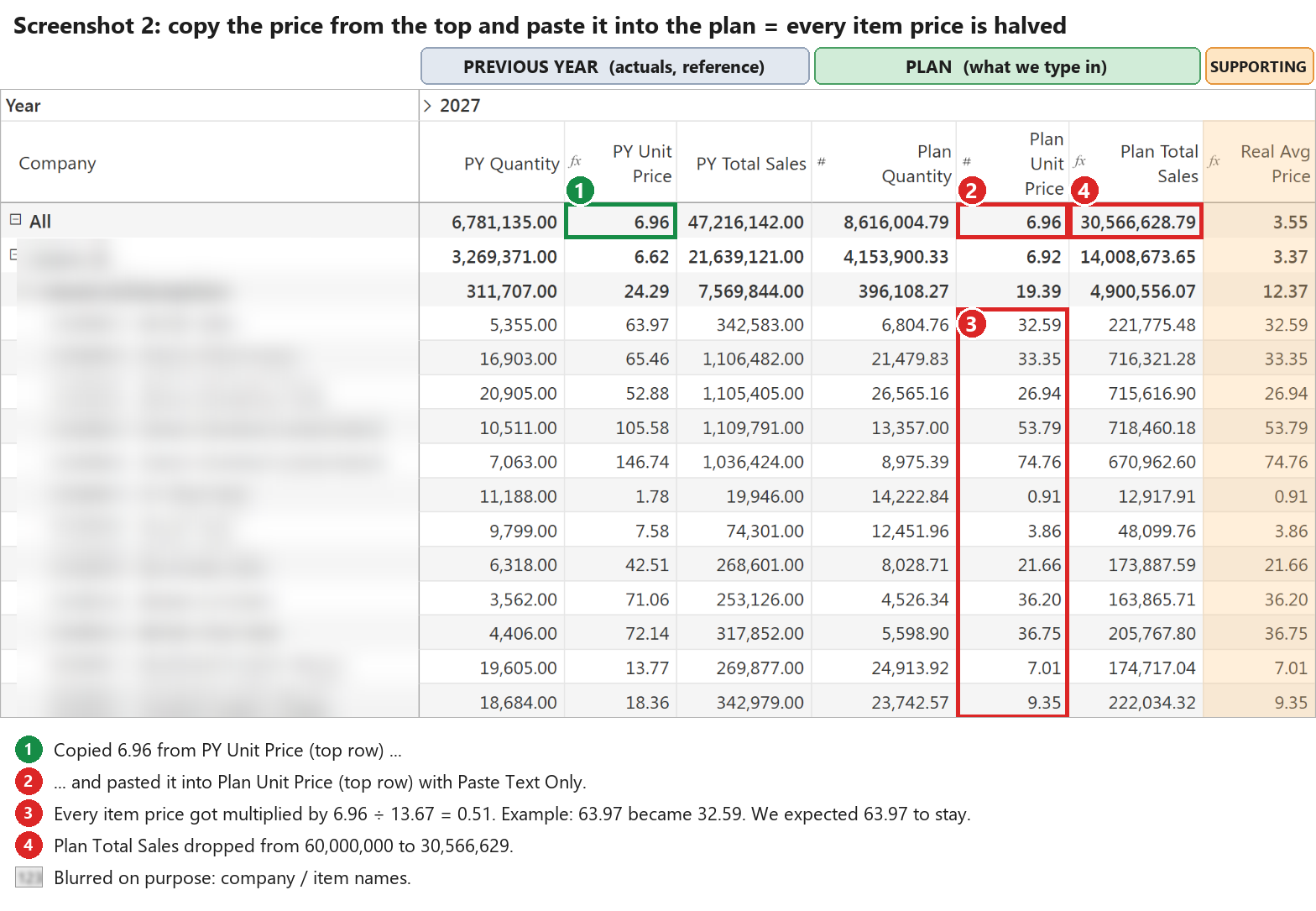
- Copying last year's 6.96 from the top and pasting it into the plan price doesn't fill down. It scales every item instead, so every price gets roughly halved and sales drop from 60M to 30.6M. Screenshot 2
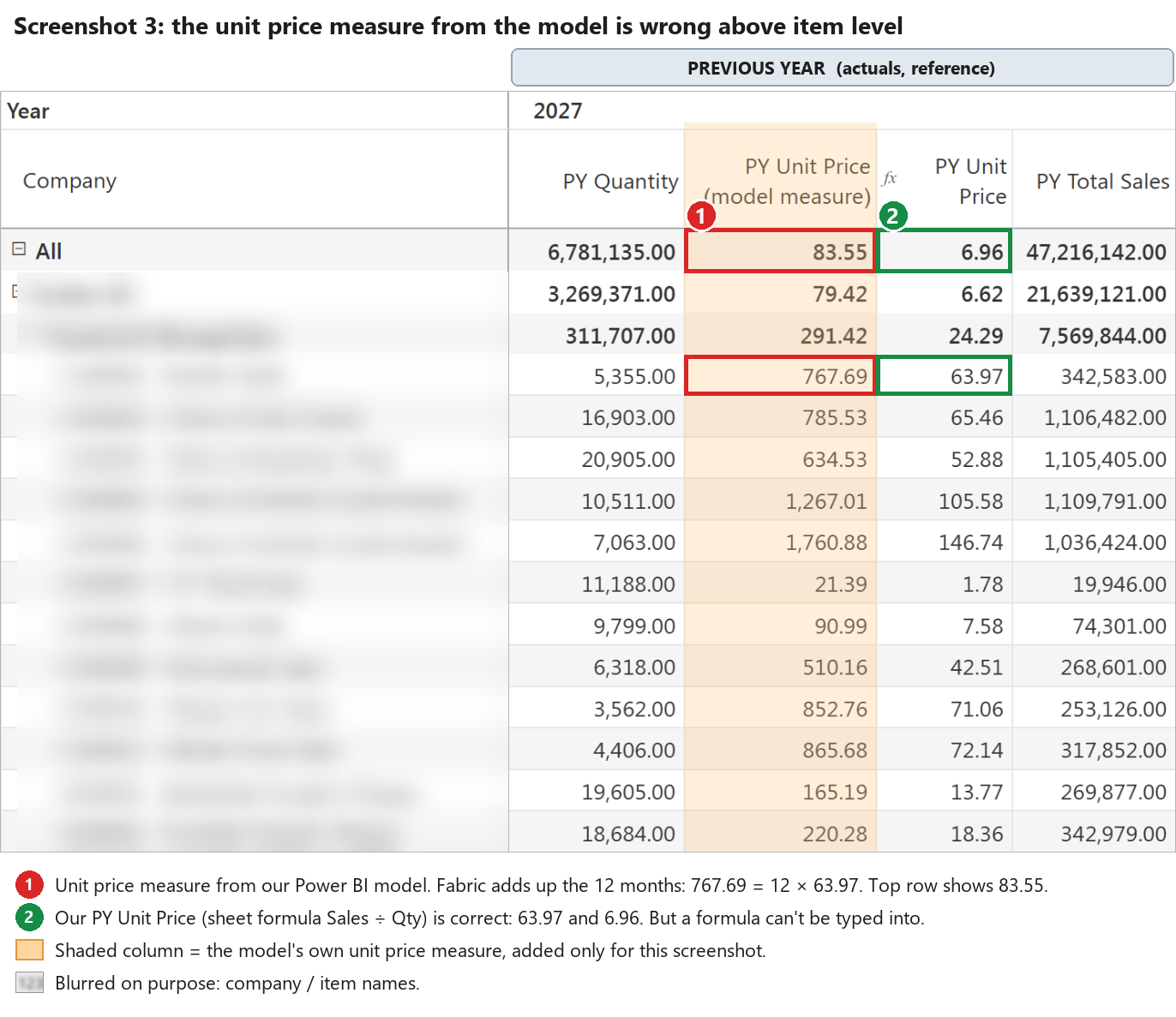
- The model's own price measure gets added up at totals (767.69 = 12 months × 63.97), so we had to rebuild it as a sheet formula. Screenshot 3
Questions
- How do I share one editable unit price between a customer sheet and an item sheet?
- Is there a weighted-average aggregation for an input column? Example: Item A sells 10,000 units at 2.00 and Item B sells 100 units at 100.00. The real average price is 2.97 (total sales ÷ total qty), but with Average (Leaf) the category row shows 51.00, which is just (2 + 100) ÷ 2. I want the plan price at category and total level to show 2.97, like Power BI does.
- Can I copy last year's prices into the plan in one step? I copied 6.96 from the PY price total row and pasted it into the plan price total row, expecting every item to get its own last-year price. Instead every item was scaled by 6.96 ÷ 13.67: an item at 63.97 became 32.59, one at 1.78 became 0.91, and plan sales dropped from 60M to 30.6M. Is there a way to fill the plan price from last year so each item keeps its own price? (Screenshot 2)
Join the conversation
You must be logged in to reply to this topic.

