Resources · Video Library

Fabric Planning Videos

Tutorials, demos, webinars and Microsoft announcements for Planning, PowerTable and Intelligence on Microsoft Fabric.

Skills Hub
New to Fabric Plan? Start here.
Short episodes grouped into modules and seasons, in the order you should watch them.
Explore Skills Hub

Featured videos

Microsoft Fabric Planning Onboarding - Access and Setup

6:25

Planning 101 – Getting Started with Planning Sheets

4:31

Planning 102 - Forecasting

4:37

Planning 103 - Writeback

4:59

Planning 104 - Collaboration & Approval Workflow

2:53

Fabric Planning Overview #1

3:59

Fabric Planning Overview #2

3:16

Fabric Plan: Session Types and Tenant Settings

1:29

Fabric Plan Personas Explained: Planner, Stakeholder, Viewer

03:07

Security and Audit in Fabric Planning

2:58

Build an Annual Budget in Minutes with Microsoft Fabric

2:33

Multi dimensional cube planning #1

2:38

Multi dimensional cube planning #2

2:02

Bidirectional Cube Planning in Fabric Plan

2:04

Planning at Varying Granularity to Product Profitability

3: 01

Row Model: From Flat Rows to a Hierarchical P&L, Board-Ready in Minutes

5:19

Quick Statistical Forecasting in Microsoft Fabric

2:28

Auto forecasting for multi season time series

2:25

Pivot & Optimizer: Flexible Views, Optimal Outcomes

3:54

Optimizer for Direction Based Simulations in Microsoft Fabric

0:58

Setting up a target-based 'Optimizer'

1:13

Currency Translation & Multi-Granularity Consolidation in Microsoft Fabric

3:29

High-Volume Connected Planning with PowerTable

4:15

Advanced Filter

4:37

Parameters in Fabric Plan

3:06

Writeback with Fabric Planning: How to Get Started

1:51:54

Fabric Planning: What, So What, and Now What?

1:14:41

Fabric for the AI Era - FabCon (Satya Nadella, Chairman and CEO at Microsoft)

1:37

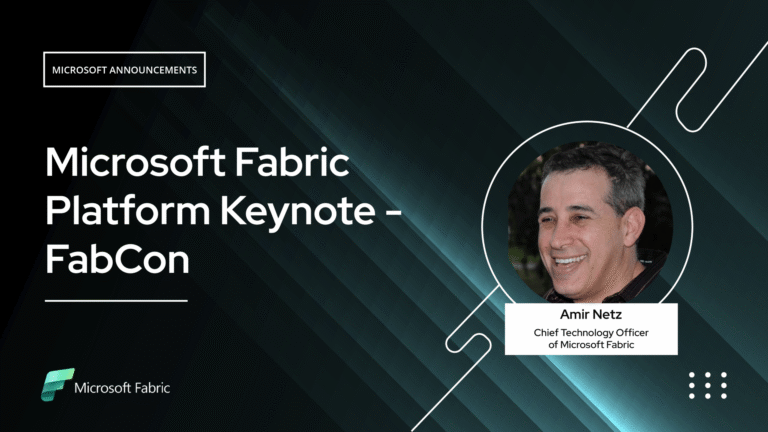
Microsoft FabCon Keynote (Amir Netz, CTO of Microsoft Fabric)

5:35

Intelligence 300 - Intelligence Sheet Interface Overview

4:58

Intelligence 301 - Building Interactive Dashboards

3:58

Intelligence 302 - Reporting

05:10

Intelligence 303 - Advanced Formatting

3:09

Intelligence 304 - Planning Integration

05:10

Intelligence 305 - PowerTable Integration

4:16

Getting Started with Superfilter

5:37

Configure Facet Filter in Microsoft Fabric Plan

6:38

Bookmarks in Intelligence

2:56

Paginated Reports in Microsoft Fabric Planning

2:48

Fully Formatted Exports to Excel & PDF in Microsoft Fabric Planning

03:22

Financial Reporting

4:21

Performance reporting and variance analysis

2:56

Multi Trellis Variance Analysis in Microsoft Fabric

3:11

Multi level financial KPI Cards

2:25

Retail Performance Dashboard in Microsoft Fabric

3:04

Customer journey analysis with sankey chart

2:08

Project management dashboard

2:23

Collaborative Commentary and Annotations in Microsoft Fabric Planning

2:47

Build IBCS Compliant Reports in Microsoft Fabric

4:44

Build a KPI Card

2: 24

Configure Action Parameter in Microsoft Fabric plan

7:40

Box Plot on Power BI Semantic Models

3:02

Insert and Manage Rows in Microsoft Fabric Planning

2:17

Insert and Manage Columns in Microsoft Fabric Planning

3: 36

Inside Explore Model in Microsoft Fabric Planning

5:09

Part 1: Building a Live Cash Flow Forecast

3:02

Part 2: Cash Flow Planning & Scenario Simulation

2:51

PowerTable - Getting started with a CSV/ Excel File

6:47

PowerTable Introduction & Walkthrough

5:40

Setting up access controls

3:36

Get Started with Resource Layout

1:50

Manage reference data for planning app 

1:58

An Asset Tracking Data App

4:59

Setting up a time tracker

4:13

Manage Slowly Changing Dimensions (SCD Type 2) with PowerTable

2:08

Using Forms and Automations in Microsoft Fabric

4:26

Project Scheduling with Gantt view

2:18

Setting Up Multi-Select Relationship Columns

2:59

Setting up Relation columns in PowerTable

1:59

Setting Up Roll Up Columns in PowerTable

2:11

Lookup Columns in PowerTable

5:07

Working with Crosstab Layout in PowerTable

11:44

Resource assignments and delivery review

2:51

Summary Bar Configuration in Resource Layout

2:20

Setting up Hierarchy Structure in Gantt Layout

1:45

Milestone configuration in Gantt Layout

1:42

Manage Baseline in Gantt Layout

1:42

Kanban Setup and Key Features Overview

2:03

Calendar Setup and Overview

2:00

Setting up Forms in Powertable

4:06

Setting Up Approval Workflows in PowerTable

5:53

Setting Up Automations in PowerTable

7:45

Setting Up SCD Type 2 & Type 3 in PowerTable

5:09
Fabric Plan
Enterprise planning, integrated with PowerTable and Intelligence, native to Microsoft Fabric. Co-engineered with Lumel.
BUILT ON MICROSOFT FABRIC
CERTIFIED BY
Fabric Planning is certified by IBCS
Microsoft, Azure, Copilot, Excel, Fabric IQ, Microsoft Entra, Microsoft Fabric, Microsoft Teams, OneLake, Outlook, Power Automate, Power BI and SharePoint are trademarks of the Microsoft group of companies. IBCS is a registered trademark of IBCS Association. All other trademarks are the property of their respective owners.

This community is operated independently by Lumel. Nothing on this site constitutes a representation or warranty by Microsoft.