

Welcome to our Fabric Plan Community!
Need help with Microsoft Fabric? Here’s a step-by-step guide to raising a support ticket with Microsoft.
- Sign in to the Microsoft Fabric portal using your work account.
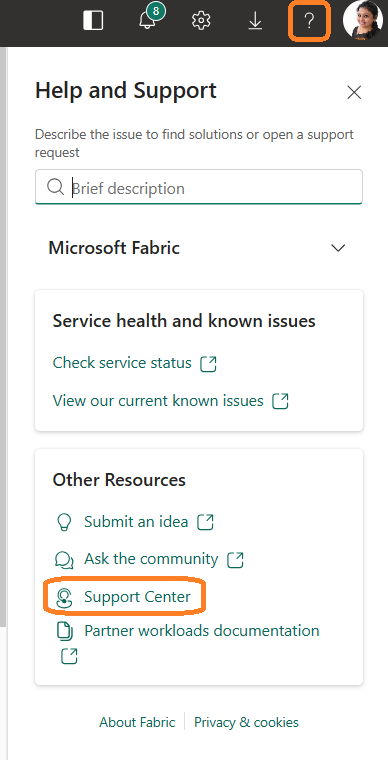
- Click the ? (Help) icon in the top-right corner.
- In the Help pane, search for your issue (for example, Fabric Plan, license assignment, or workspace). Microsoft requires you to search before the Contact Support option appears.
- If the suggested articles don't resolve your issue, scroll down and select Support Center.
- Select New Support request and type the issue as shown below
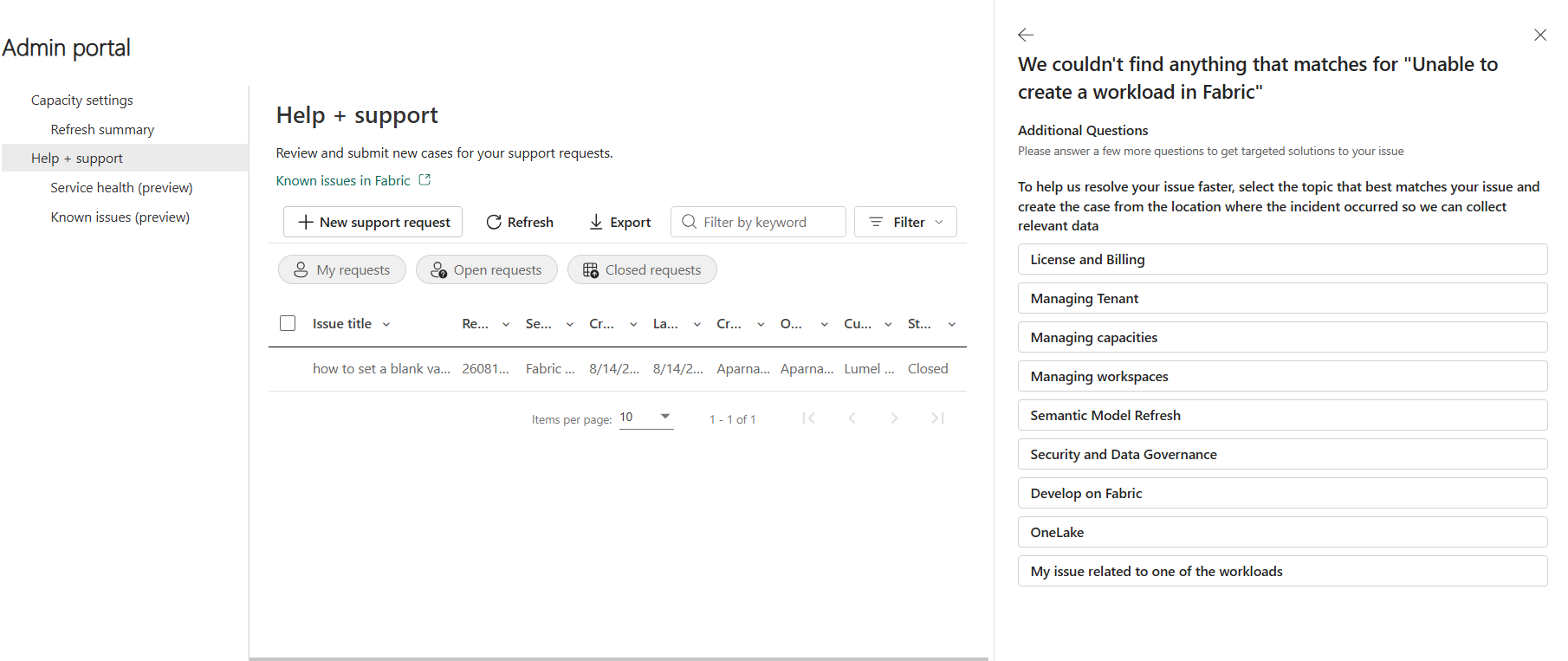
- Choose the right options and you will finally see the Contact Support option as below
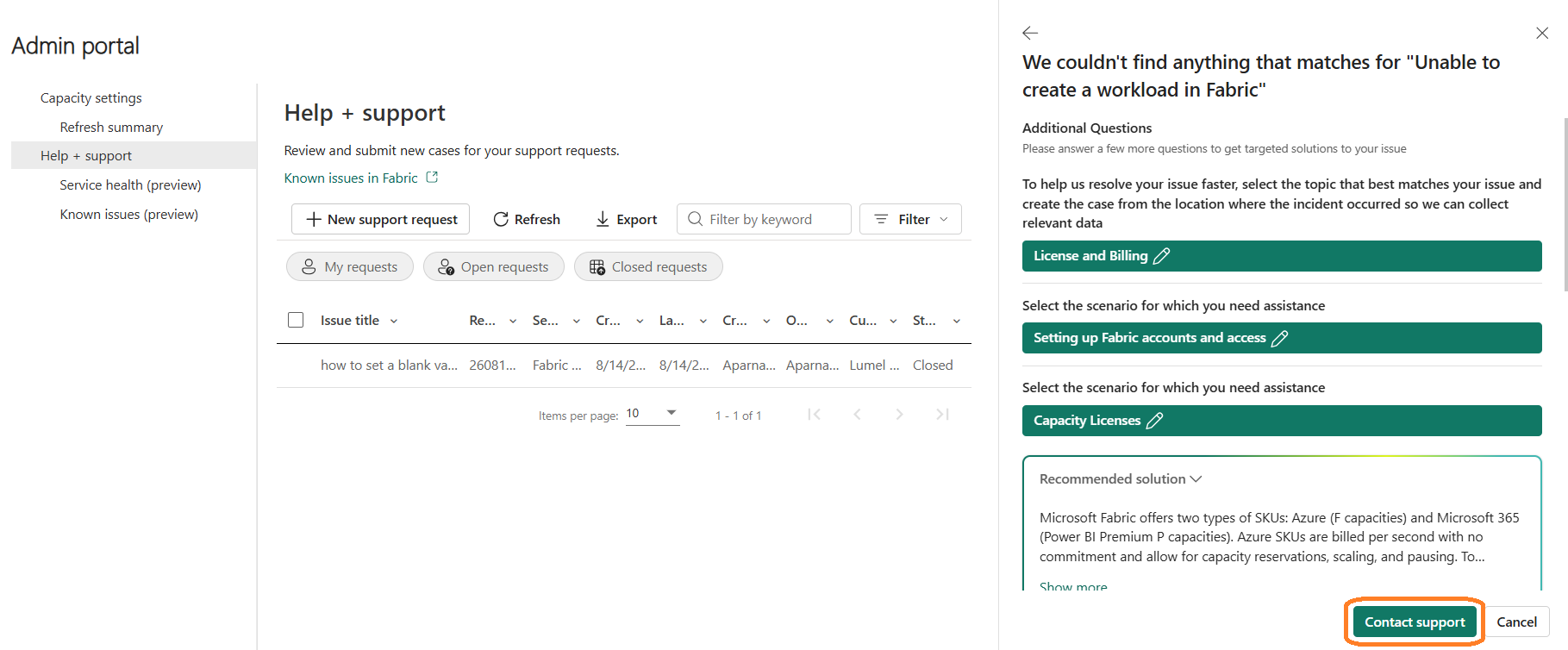
- Fill in the support request details
- Issue summary
- Detailed description
- Severity
- Contact information
- Attach screenshots, logs, or other relevant files if applicable.
- Submit the support request. You will receive a confirmation email with the case number.
If you are a Fabric Administrator, you can also view and manage your support requests by going to Admin Portal → Help + Support after the ticket is created.
For additional information, see:
Note: To create a Microsoft Fabric support ticket, you must have an eligible role (such as Fabric Administrator, Global Administrator, Billing Administrator, or another supported admin role) or an eligible Fabric/Power BI license.
1 Reply
Viewing 1 replies (of 1 total)
Join the conversation
You must be logged in to reply to this topic.

