TRAINING · SKILLS HUB

Learn Fabric Planning, one episode at a time

Short video episodes grouped into seasons. Pick a season and watch the episodes in order
Before you start
A Fabric workspace where you can add a Plan work item
A Power BI semantic model to plan against
The Planner role, Admin or Member, since the DMTS episodes need it
Set-up steps for all three, in one guide
Download PDF guide

Planning · Season 2

Mastering Measures

10 episodes · 32 min total

Play season
  1. Fabric Plan - Skills Hub - Season 2 - Episode 1 - Data input measure for price simulation Duration 3:48

    Episode 1

    Data Input Measure for Price Simulation

    Season 2 opens with pricing. Product selling price average comes from the semantic model, so it averages by month but sums at quarter and year. We fix that with the totals aggregation settings, switching row and column to average leaf. Because a native measure cannot…

    Duration 3:48
  2. Season 2 Episode 2 - Formula Measure for planning Units Duration 2:16

    Episode 2

    Formula Measure for Planning Units

    Season 1 introduced the formula measure. Episode 2 uses one for a new job: Units Plan, calculated as Revenue Plan divided by Price Forecast and wrapped in a ROUND with zero significance. Because both inputs are data input measures, Units Plan now moves whenever either…

    Duration 2:16
  3. Season 2 Episode 3 - Single Select Text Measure for Product Classification Duration 2:30

    Episode 3(sign in to watch)

    Single Select Text Measure for Product Classification

    Text measures come in several types, and this episode uses single select. We add it as a visual column, not a visual measure, because a product class only needs to appear once rather than in every time period. The column is called Classification, with a…

    Duration 2:30
  4. Season 2 Episode 4 - Boolean Check Box for Controlled Price Simulation Duration 4:04

    Episode 4(sign in to watch)

    Boolean Check Box for Controlled Price Simulation

    A checkbox on its own does nothing. This episode puts one to work. We create Price Change as a Boolean checkbox visual measure, checked by default for every month. Then we edit Price Forecast and set Allow input to Based on formula, with Price Change…

    Duration 4:04
  5. Season 2 Episode 5 - User Access Security for Data Input Measures Duration 1:27

    Episode 5(sign in to watch)

    User Access Security for Data Input Measures

    Pricing is a sensitive driver, and in most teams only a few people should be able to change it. This short episode adds a security layer to the data input measures built so far. We restrict Price Forecast and the Price Change checkbox to named…

    Duration 1:27
  6. Season 2 Episode 6 - Forecast Measure as Data Input Duration 4:34

    Episode 6(sign in to watch)

    Forecast Measure as Data Input

    A forecast measure extends time beyond what the semantic model holds. To set up a real-life case, we filter the data to 31 December 2025, then use Model > Forecast to create Revenue Forecast for January to December 2026. The closed period copies Revenue Actual,…

    Duration 4:34
  7. Season 2 Episode 7 - Forecast Measure as Formula Duration 3:31

    Episode 7(sign in to watch)

    Forecast Measure as Formula

    The previous episode built a forecast measure for data input. This one builds a forecast measure from a formula: Units Forecast. For the closed periods, the formula is Revenue Actual divided by product selling price average, both native measures. For the open period, it is…

    Duration 3:31
  8. Season 2 Episode 8 - Use Number Parameter for Product Discount Duration 4:10

    Episode 8(sign in to watch)

    Use Number Parameter for Product Discount

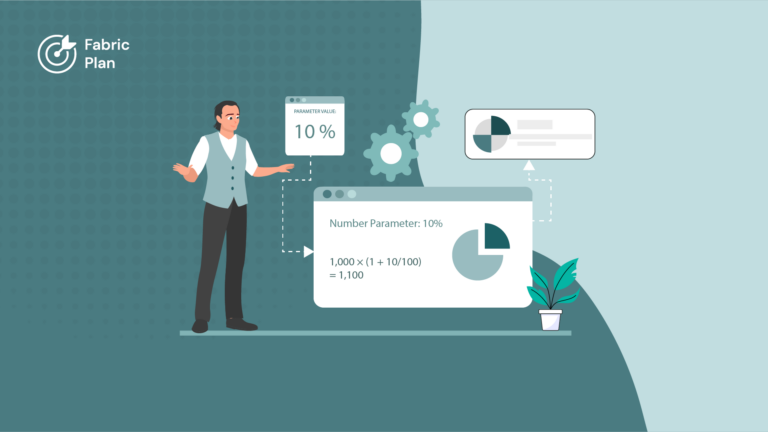
    Discounts shape how many units you sell, so a forecast should account for them. Parameters act as variables and live in the Parameters pane. We create a page-level number parameter called Product Discount, ID discount, shown as a percentage on a 0 to 25% slider…

    Duration 4:10
  9. Season 2 Episode 9 - Number Parameter as a Formula Reference Duration 1:26

    Episode 9(sign in to watch)

    Number Parameter as a Formula Reference

    Users should not have to open the Parameters pane to see the discount being applied. This short episode adds a formula column called Rate of Discount that simply references the discount parameter. We set its aggregation for a percentage value, switch on percentage scaling from…

    Duration 1:26
  10. Season 2 Episode 10 - Conditional Formatting with Number Parameter Duration 4:26

    Episode 10(sign in to watch)

    Conditional Formatting with Number Parameter

    The closing episode of Season 2 brings parameters and formatting together. Alongside Product Discount, we add a second number parameter to the Parameters pane and use it in a conditional formatting rule on the revenue forecast. Planners change the parameter value and the highlighting in…

    Duration 4:26
Microsoft, Azure, Copilot, Excel, Fabric IQ, Microsoft Entra, Microsoft Fabric, Microsoft Teams, OneLake, Outlook, Power Automate, Power BI and SharePoint are trademarks of the Microsoft group of companies. IBCS is a registered trademark of IBCS Association. All other trademarks are the property of their respective owners.

This community is operated independently by Lumel. Nothing on this site constitutes a representation or warranty by Microsoft.