Hi team,
Been doing some research to see if this is possible, but haven't been able to get a clear answer as to wheather its possible.
Background
We have just recently upgraded to MS Fabric with an F64 SKU. As such, we've created a new workspace and attached it to this capacity to enable all the required features that come with it. Our current environment is that we have a set of Data Analysts which are 'members' of that workspace who can then create and maintain fabric items.
Our current policy is that no other department users are given workspace access, if these users require access to content, it is either published through a Org App, or the individual item is shared.
The Problem
We have created a new Plan Fabric Item and set up some PowerTable sheets.
I want to be able to provide access to certain users to have edit access to these underlying sheets, but i don't want to give them underlying workspace access.
Is there a way to grant access to a user to this PowerTable?
I've had some success in giving 'sharing' the individual Plan Item that contains the PowerTables.
However, i'm getting stuck in that they are only able to 'view' the data in the PowerTable, but they can't make edits.
Please let me know if you require more context to the question.
3 Replies
@Aparna Jegannathan
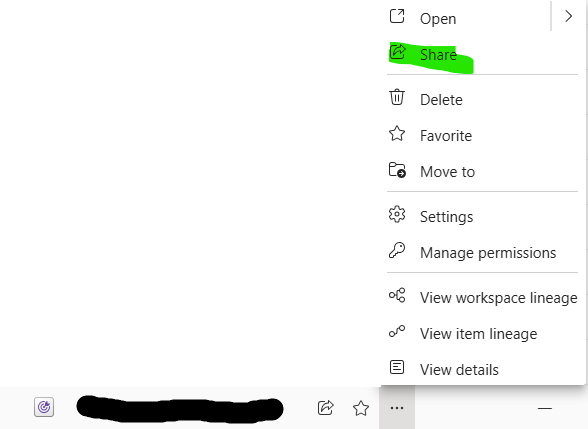
I've shared the item directly with the user via the 'share' option when selecting the ellipsis on the plan item;

When looking at the underlying permission through 'manage permissions' it says that they only have 'Read' access, but i can't seem to grant additional 'write' access to the user at all.

Hi @Aparna Jegannathan
Good news, i've managed to figure this out now!
Quite a few hoops to jump through, but i believe i've got a working pattern, these are the steps i took, sharing for anyone that wants to follow and has this same problem.
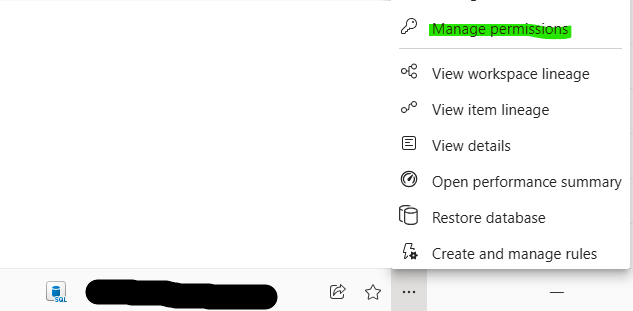
Step 1 - Add 'Read All' user permissions to underlying Fabric SQL Server
First step involves giving access to the User on the Fabric SQL Server, because the user isn't apart of the 'workspace' the user will need to be manually added to 'Read All' access

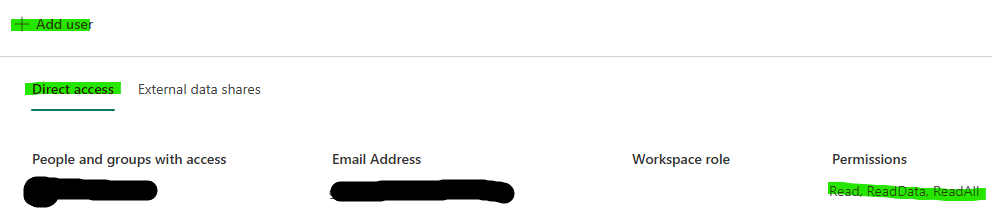
Make sure that the user is added on 'Direct Access' with Read All permissions

Without knowing all the details, this is probably required for the user to actually 'see' the data on the PowerTable itself when they are in the application, without it a user will get an access permission error.
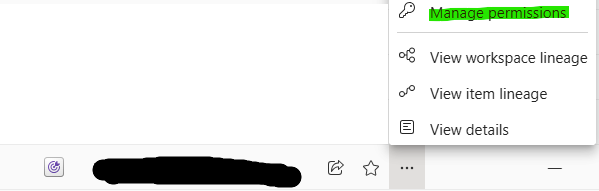
Step 2 - Add User to Plan Item through Direct Access
Per my above sentance, I granted access to the User by 'Sharing' the item only, this today looks like it can only grant 'Read' access
However, if grant access to the User through 'direct access' you can grant then Write access.

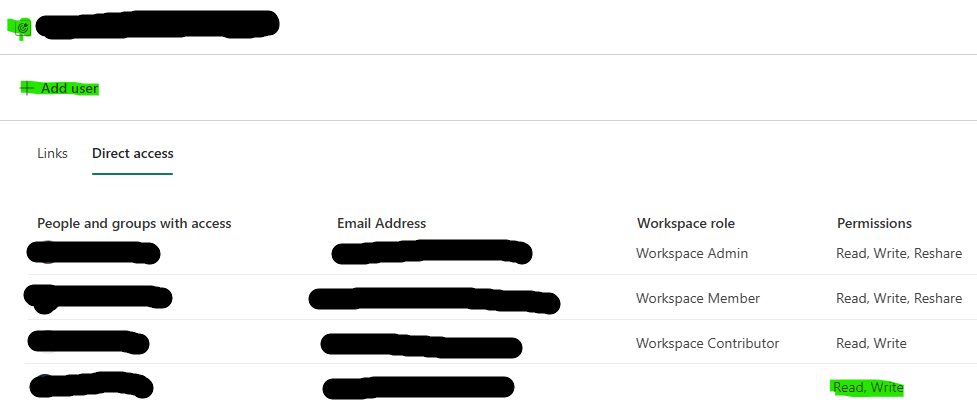
When adding a user, you'll notice that there is no option to configure what level of access the user has.
However, if you add the user first, you then need to go into 'More Options (...)' and then you have the ability to grant 'Write' Access to the user

The end result is as follows, Workspace members are listed along with the individual 'direct access' users.
I have no idea whether this will clash with out security settings with regards to 'Viewer', 'Stakeholder', 'Planner'....
But this provides what i need for now...
Perhaps something to look into at a later stage to improve the User Experience here.... i imagine it can be quite confusing for some to do this.
Viewing 3 replies - 1 through 3 (of 3 total)