Refreshing PowerTables and Lookup Values

Started by Frans · 4 days, 12 hours ago · 1 reply · 36 views
Frans Participant
4 days, 12 hours ago

Hi,

I have two questions related to PowerTable (PT)

Question 1
I wonder if it is possible to refresh the data inside a PT, after loading data (populating it) from a Semantic Model (SM). 
I've created a new PT, connected it to an existing SM, from which I retrieve multiple fields from different dimension tables.
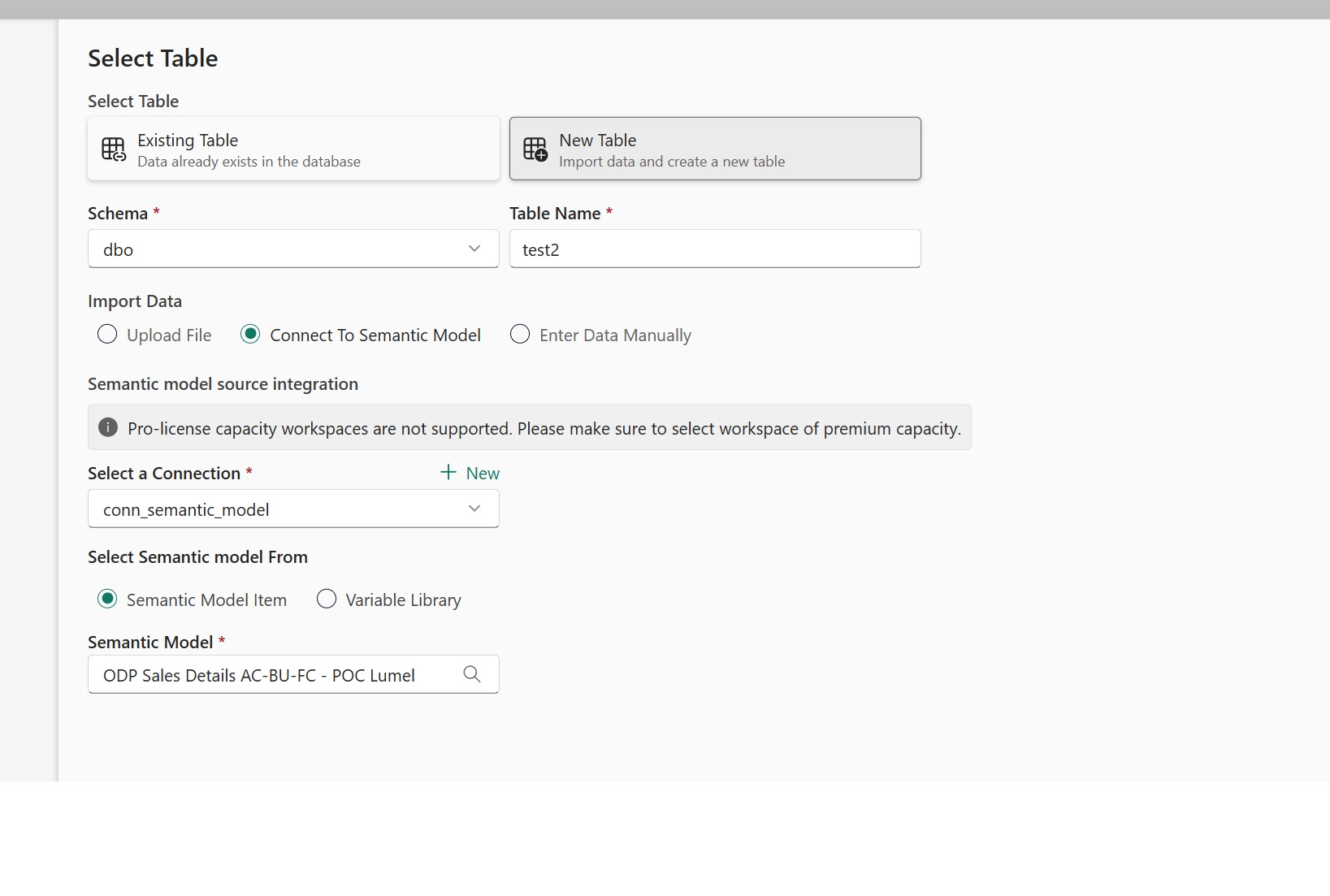

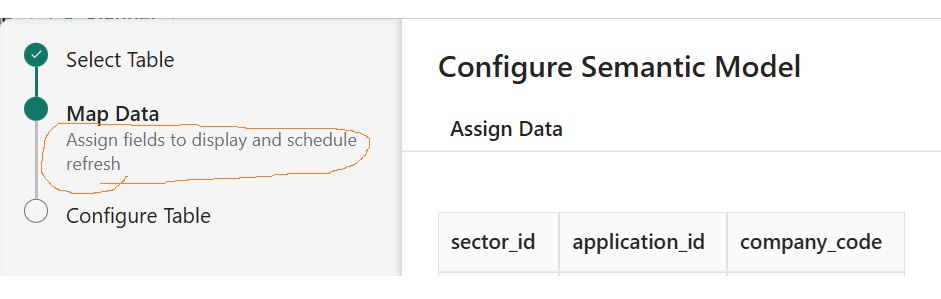
If one of the underlying dimension tables gets updated (i.e. new rows) in Fabric, the PT does not appear to show these rows. Does it only use the SM to populate the PT initially and then the connection to the SM is lost? I Could not find this in the documentation. However, the next screen writes ' .... and schedule refresh':
Question 2.
What I'm trying to create is a PT which Planners can use to specify new combinations on which they can plan. Since our Fact table contains only dimensions that have been 'hit' (i.e. have actual sales), there might be combinations with no hits / sales but on which we would like to plan anyway. Those new combinations I would like to add to our Planning Sheet (PS).

I'm using the Lookup function to create dropdown menu's (inside the PT) for users:
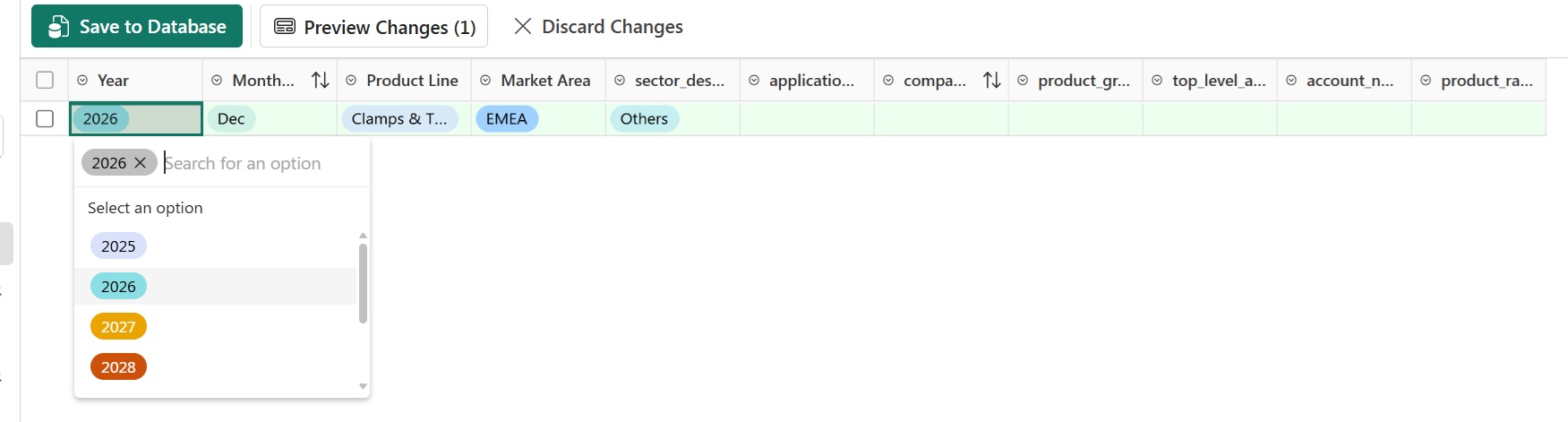

The values are being retrieved from the relevant PT. These PTs were populated by connecting to a SM (hence it is important for me that the PTs are being refreshed). Is it possible to use the lookup functions directly on the SM or does this have to go via the SQL database (DB)? Alternatively, I suppose I would have to add the dimension tables to the SQL DB (might be wiser right).

Thanks in advance!

1 Reply
Lumel · 2 days, 15 hours ago

Hi Frans,

These are interesting questions! Thanks for bringing them up.

Reply to Question 1:

Once the data is saved to the database, the connectivity to the Semantic Model will not be synced automatically.

However, you can still manually refresh the data by clicking on the Semantic Model, as shown below. This refresh will synchronize any additions and updates from the Semantic Model, but it will not reflect deletions.

This should work perfectly for your use case. Kindly validate this approach and let us know if it meets your requirements.

This can be scheduled for a scheduled Refresh using our Automation feature.

Reply to Question 2:

PowerTable supports lookup data from database tables only. Therefore, your approach of adding the required dimension tables to the database is correct. You can then configure the lookup columns using these tables as the data source.

Should you have any further questions, please feel free to reach out to us. We will be happy to help!

Viewing 1 replies (of 1 total)

Fabric Plan
Enterprise planning, integrated with PowerTable and Intelligence, native to Microsoft Fabric. Co-engineered with Lumel.
BUILT ON MICROSOFT FABRIC
CERTIFIED BY
Fabric Planning is certified by IBCS
Microsoft, Azure, Copilot, Excel, Fabric IQ, Microsoft Entra, Microsoft Fabric, Microsoft Teams, OneLake, Outlook, Power Automate, Power BI and SharePoint are trademarks of the Microsoft group of companies. IBCS is a registered trademark of IBCS Association. All other trademarks are the property of their respective owners.

This community is operated independently by Lumel. Nothing on this site constitutes a representation or warranty by Microsoft.