
Hi Fabric Plan Community,
We are experiencing an issue with Fabric Plan Intelligence in our Microsoft Fabric Pre-Production (PPE) environment, where Intelligence visualisations fail to load, although the underlying PowerTable continues to work.
This functionality was working correctly in both DEV and PPE until Friday, 9 October 2026. The issue was first noticed on Monday, 12 October 2026, and only affects PPE.
Issue Description
Our Fabric Plan, Quarantine Management – Environment Climate, contains two components:
- Review PowerTable: Allows Data Stewards to review and update records.
- Quarantine Intelligence: Provides interactive visualisations and filters using the
SM_QUARANTINEsemantic model.
Both environments use their respective semantic models, configured through a Fabric Variable Library.
DEV – Working
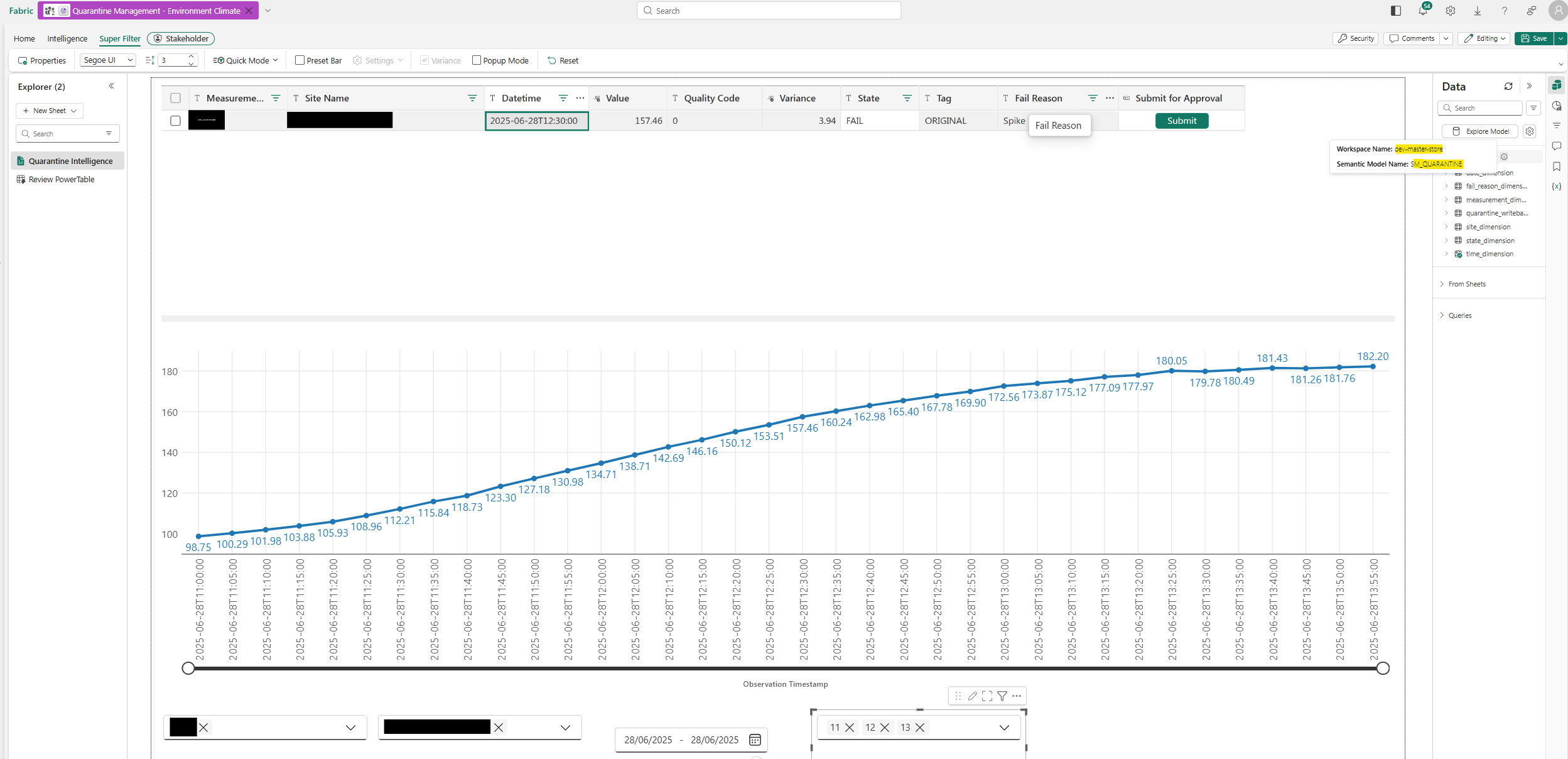
Intelligence successfully connects to the semantic model in the dev-master-store workspace and displays visualisations as expected.
Screenshot 1: DEV Intelligence working correctly.
PPE – Failing
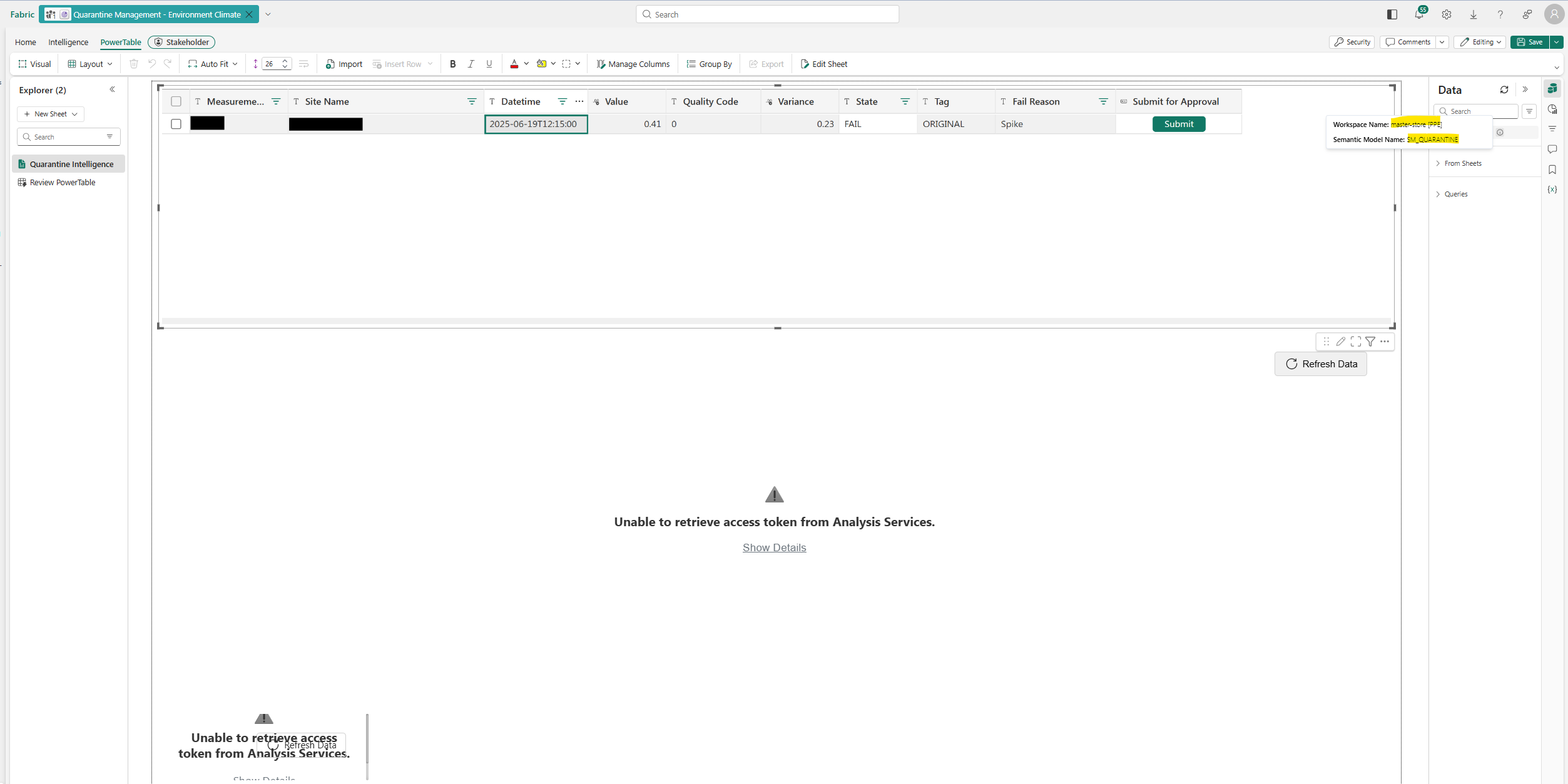
The PowerTable continues to display records, but Intelligence visualisations fail with the error:
Unable to retrieve access token from Analysis Services.
The SM_QUARANTINE semantic model is hosted in the master-store [PPE] workspace and remains visible in the Plan's Data panel.
Screenshot 2: PPE Intelligence showing the authentication error.
Environment Comparison
| Component | DEV | PPE |
|---|---|---|
| Semantic model | SM_QUARANTINE | SM_QUARANTINE |
| Workspace | dev-master-store | master-store [PPE] |
| PowerTable | Working | Working |
| Intelligence | Working | Failing |
| Analysis Services token error | No | Yes |
Assistance Required
We have reviewed workspace permissions, Entra ID group access, browser sessions, semantic model dependencies, and deployment configurations, but have not identified the root cause.
Has anyone encountered this issue before? We would appreciate guidance on possible causes, particularly authentication, semantic model connectivity, or deployment-related issues, and any recommended troubleshooting steps.
Thanks in advance for your assistance.
DEV Workspace
PPE Workspace
1 Reply
Viewing 1 replies (of 1 total)
- The topic ‘Fabric Plan Intelligence – Analysis Services Token Error’ is closed to new replies.

