
Hi all,
I have two intelligence sheets (Top Down and Bottom Up) with the same Customer Posting Group Super Filter on both. I want a viewer to set the filter once and see the same selection on both sheets.
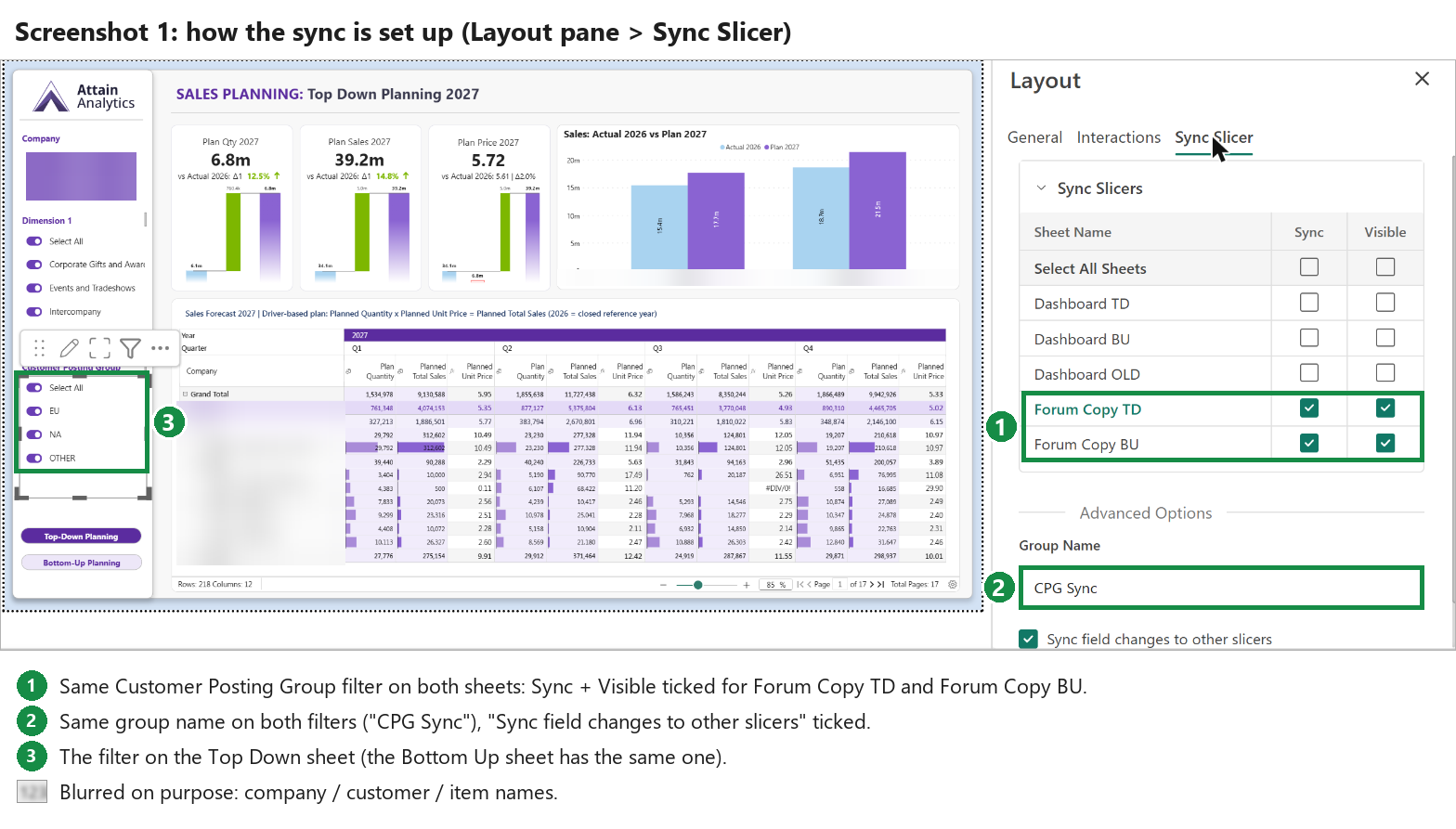
I set it up with Layout pane › Sync Slicer: both sheets ticked for Sync + Visible, same group name on both filters, "Sync field changes to other slicers" on. Screenshot 1
What happens (Reading mode):
- Top Down: switch EU off → open Bottom Up → EU is off and the numbers are correct. ✅
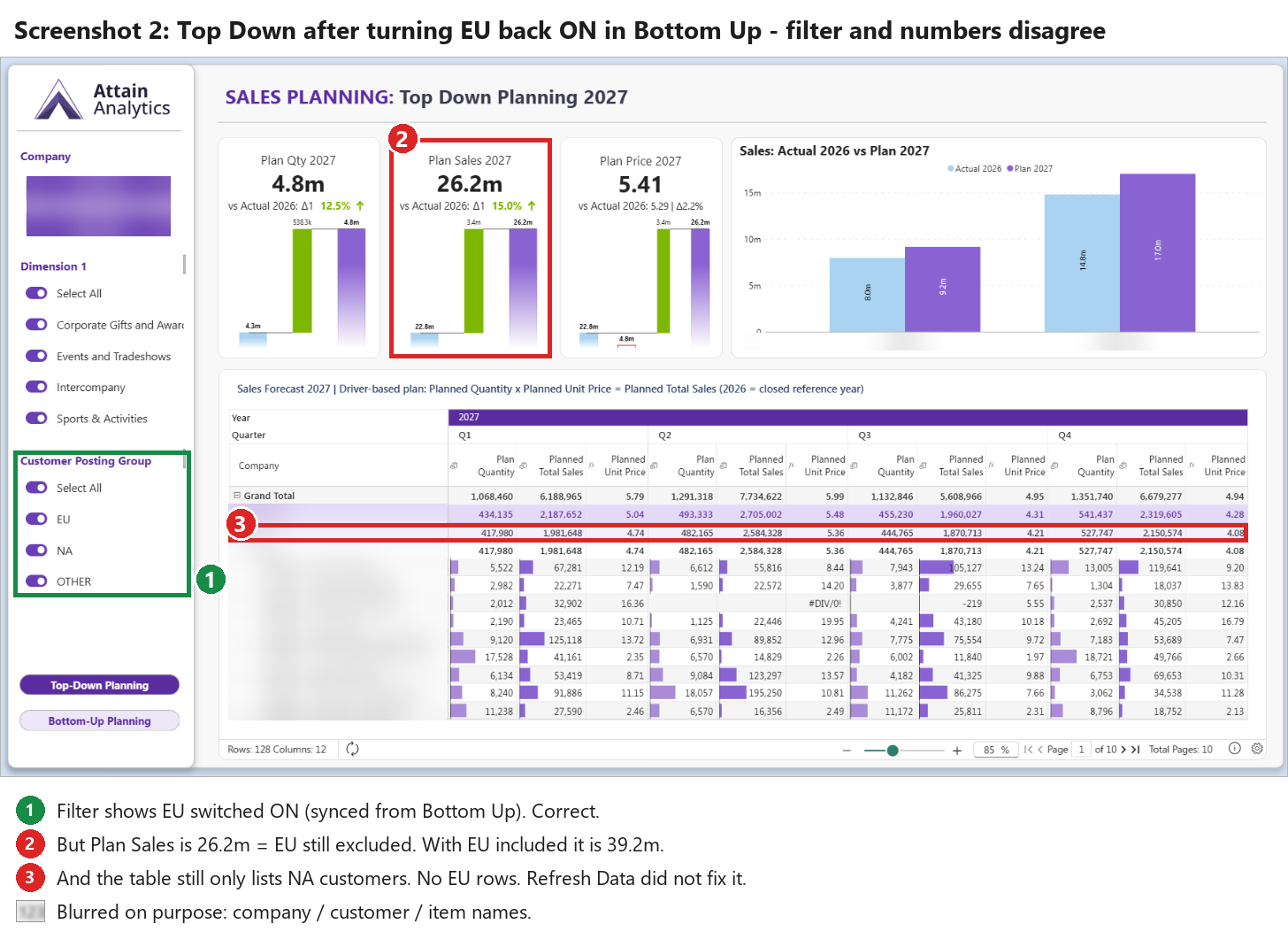
- Bottom Up: switch EU back on → open Top Down → the filter shows EU on, but the numbers still exclude EU (Plan Sales 26.2m instead of 39.2m, and the table shows no EU customers). Refresh Data didn't help. ❌ Screenshot 2
- Same in the other direction: switch NA off on Top Down → Bottom Up shows NA off, but the numbers still include NA.
So the toggle state syncs, but a sheet that's already been opened doesn't re-query. The filter and the numbers disagree, which is worse than no sync, because people trust what the filter says.
Two smaller things:
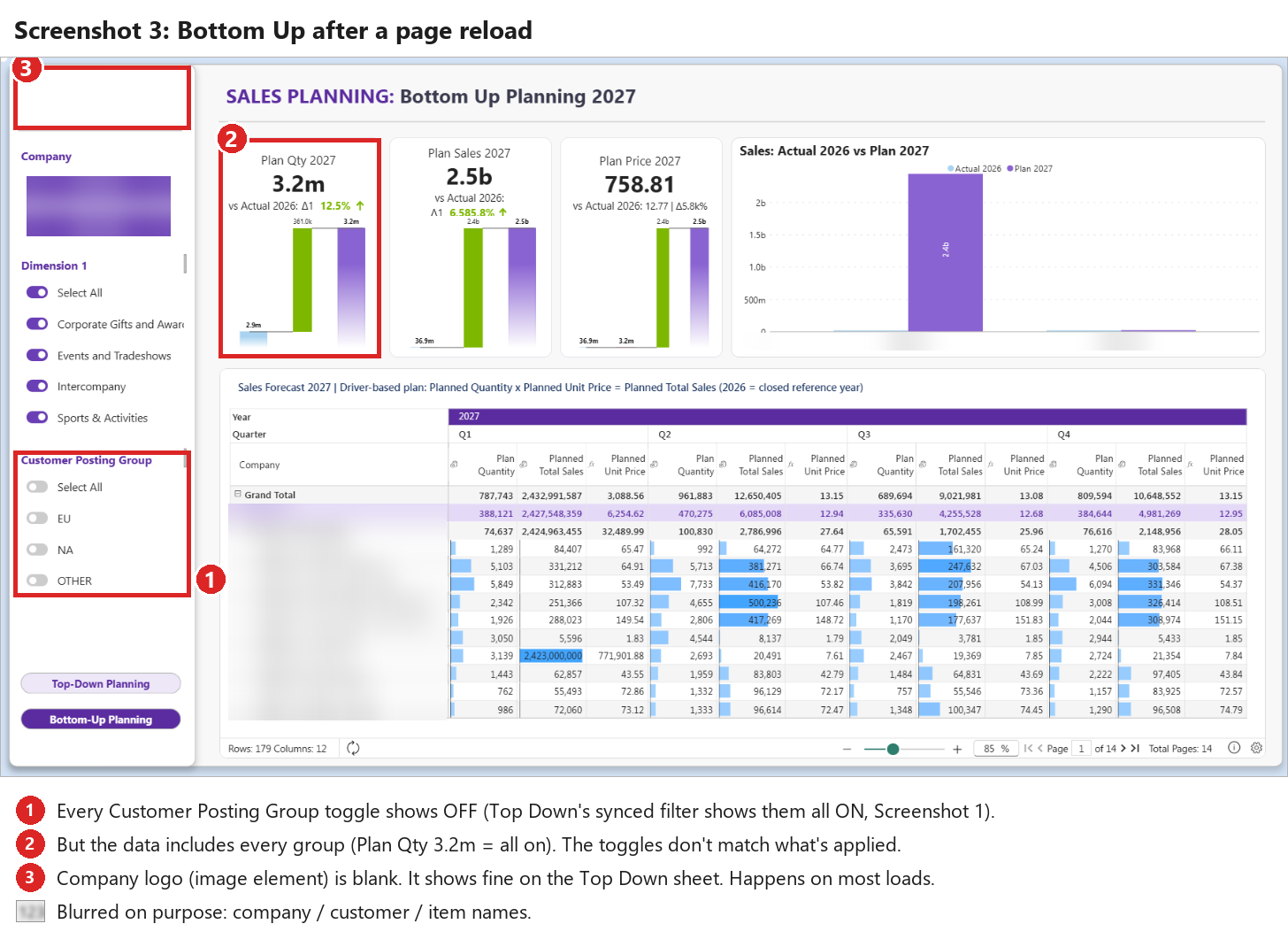
- Filter state after a reload. After reloading, Bottom Up's filter shows every toggle off, while the synced filter on Top Down shows them all on, and the data includes everything. Screenshot 3 (frames ① ②)
- Logo blank. The logo image on Bottom Up is blank on most loads; the same logo on Top Down is fine. Screenshot 3 (frame ③)
Side note: when I first tried this, I ticked the other sheet in the Sync Slicer list. That dropped a hidden copy of the filter onto that sheet, right on top of its own filter, so it showed blank. Unticking Sync didn't remove the hidden copy.
Questions
- Is this a known bug, or am I setting up Sync Slicer wrong?
- What's the recommended way to keep one filter in sync across intelligence sheets?
- Is there a fix for the image/logo that sometimes renders blank?
Thanks!
Join the conversation
You must be logged in to reply to this topic.

