
Solved

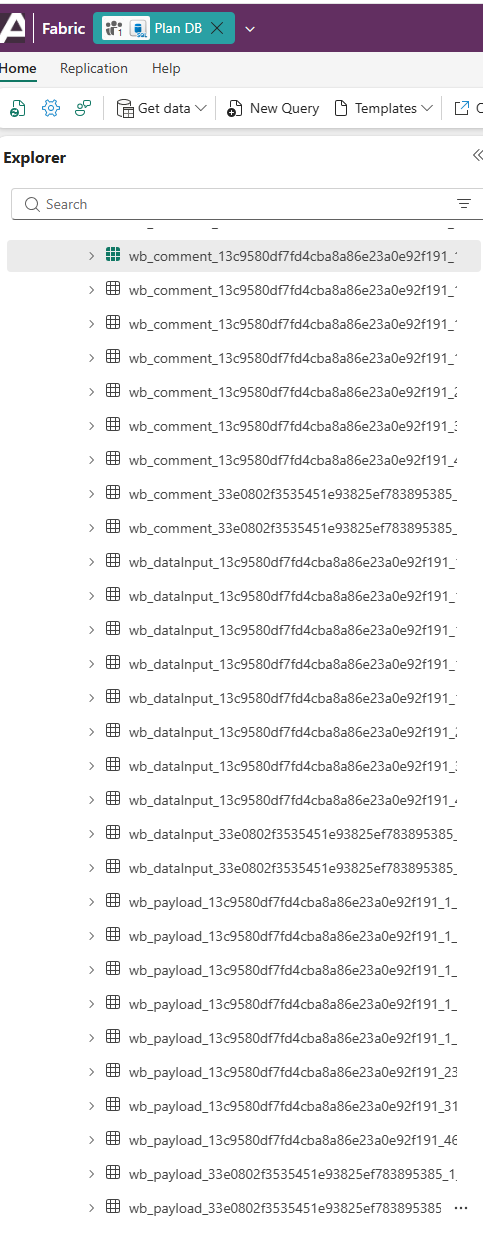
Large amount of Writeback tables in SQL Database

Started by Joshai · 2 weeks, 3 days ago · 1 reply · 103 views
Joshai Participant
2 weeks, 3 days ago

Wondering if someone can explain what they're doing/if they're necessary etc. They're empty tables.


Thanks,

1 Reply
Accepted answer
BI Engineer · Lumel Technologies · 1 week, 6 days ago
Best Answer

Hi Joshai,

These tables are automatically created and managed by Fabric Plan for each sheet and act as the application's backend storage.

The tables are used to store:

  1. Data input values entered through writeback
  2. Comments and annotations
  3. Writeback configuration and settings
  4. Payload and collaboration metadata
  5. Other internal logs required for planning and multi-user collaboration

It is normal for some of these tables to appear empty, particularly if no writeback data, comments, or collaboration activity has been recorded yet. Fabric Plan automatically creates and manages these tables as part of its backend infrastructure for writeback and collaboration features. Since they are system-generated tables, they should not be modified or removed.

Hope this helps!

Viewing 1 replies (of 1 total)

Fabric Plan
Enterprise planning, integrated with PowerTable and Intelligence, native to Microsoft Fabric. Co-engineered with Lumel.
BUILT ON MICROSOFT FABRIC
CERTIFIED BY
Fabric Planning is certified by IBCS
Microsoft, Azure, Copilot, Excel, Fabric IQ, Microsoft Entra, Microsoft Fabric, Microsoft Teams, OneLake, Outlook, Power Automate, Power BI and SharePoint are trademarks of the Microsoft group of companies. IBCS is a registered trademark of IBCS Association. All other trademarks are the property of their respective owners.

This community is operated independently by Lumel. Nothing on this site constitutes a representation or warranty by Microsoft.

