
Solved

Manage Measures button greyed out

Started by Joshai · 2 weeks, 3 days ago · 1 reply · 63 views
Joshai Participant
2 weeks, 3 days ago

Hey - silly question but i can't for the life of me figure out why this button is greyed out. Feels like i've tried everything:
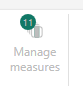
Any idea?

1 Reply
Accepted answer
BI Engineer · Lumel Technologies · 1 week, 6 days ago
Best Answer

Hi Joshi,

The most common reason is that the report has been opened in a Viewer session rather than a Contributor or Planner session.

Contributor and Planner sessions remain active for 30 days. If you reopen the report after that period, it may automatically switch to Viewer mode. In Viewer mode, options such as Manage Measures, New Row, and New Column are disabled, which is why the button appears greyed out.

You can verify this by checking the session label in the report header. If it shows Viewer, switch back to a Planner session, and the editing options should become available again.

For more details on session types and tenant settings, refer to this video:
Fabric Plan: Session Types and Tenant Settings: https://lumel.com/videos/fabric-plan-session-types-and-tenant-settings/

Viewing 1 replies (of 1 total)

Fabric Plan
Enterprise planning, integrated with PowerTable and Intelligence, native to Microsoft Fabric. Co-engineered with Lumel.
BUILT ON MICROSOFT FABRIC
CERTIFIED BY
Fabric Planning is certified by IBCS
Microsoft, Azure, Copilot, Excel, Fabric IQ, Microsoft Entra, Microsoft Fabric, Microsoft Teams, OneLake, Outlook, Power Automate, Power BI and SharePoint are trademarks of the Microsoft group of companies. IBCS is a registered trademark of IBCS Association. All other trademarks are the property of their respective owners.

This community is operated independently by Lumel. Nothing on this site constitutes a representation or warranty by Microsoft.

