I am working on setting up the Dimension ID Mapping for Writeback of Planning data into SQL but for the mapping I need access to the dimension keys. Now those key columns are usually hidden in a Semantic Model as they are of no value to the viewer or casual report builder and are only relevant for model development. Is there a way to toggle a "show hidden" like you can do in Power BI to be able and select the hidden columns for the Dimension ID mapping?
3 Replies
Hello
Thanks for your query. we are internally checking on this and will get back. We have replicated your scenario and will check on the next steps and let you know.

Hi Marion,
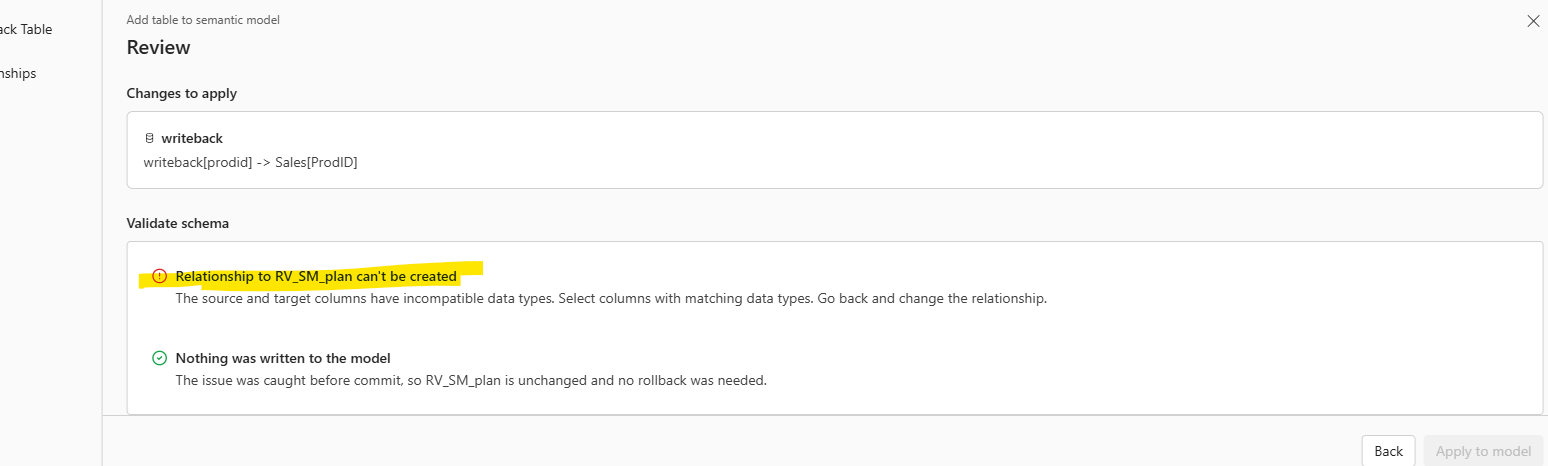
The id column created in the SQL database is of datatype string, so the account with account_id 6100 got saved as the string "6100.0" in the SQL database. The type mismatch causes an error when trying to set up the relationship. Why does Dimension ID mapping not recognize the data type of the ID column?
we've identified this issue and we've fixed it, you can expect it to be available in roughly 3 weeks depending on your region.
Until then, a workaround is a SQL view on the writeback table that casts the ID to an integer, for example CAST(CAST(account_id AS float) AS int), and relating that view to your dimension table.
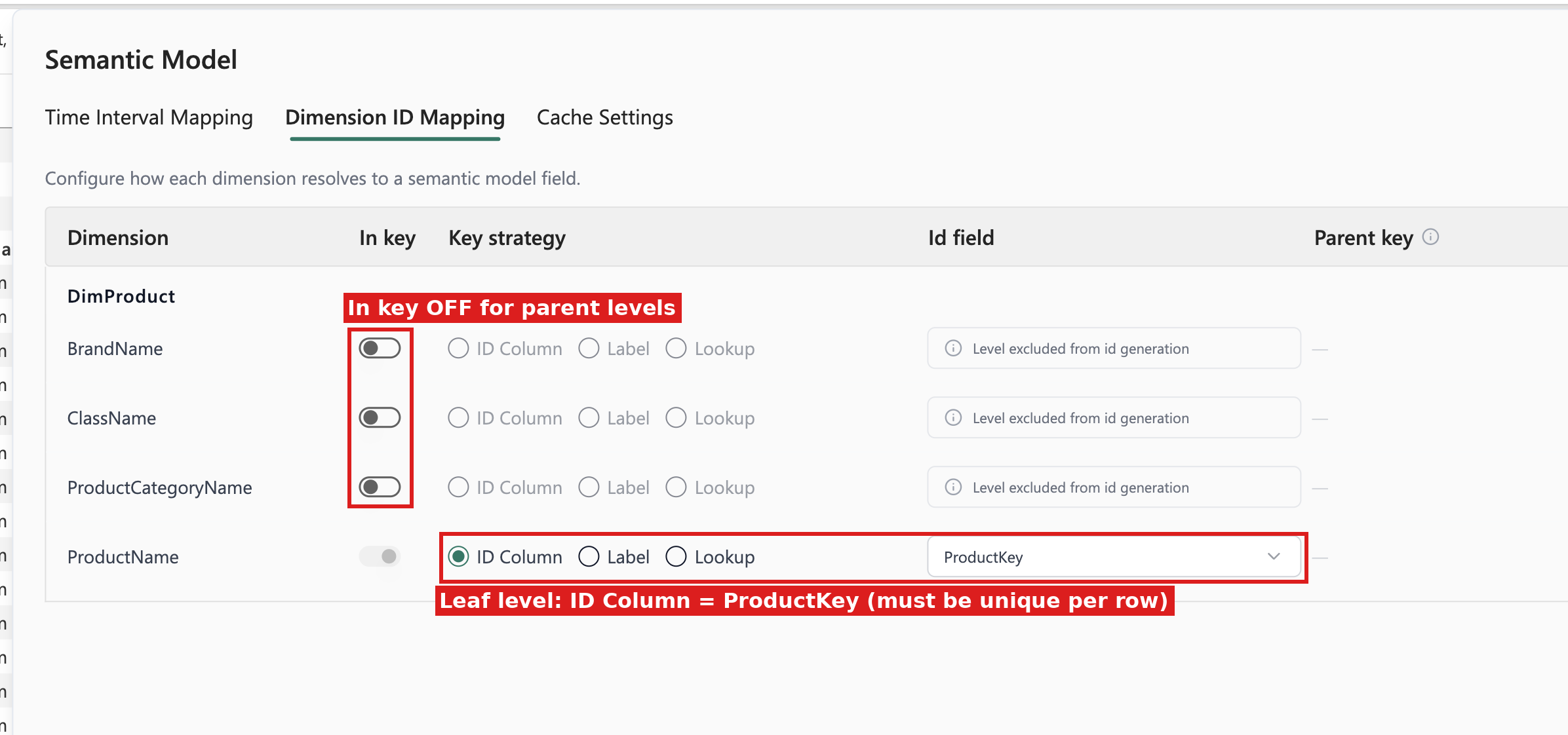
When I set up a Dimension ID mapping I don't need any related columns of that table to be written into the database. I already have the ID, I don't need account group or any other higher level. [...] I thought maybe the "In key" toggle does this but if I turn it off, I no longer see data (from the semantic model) on this level.
This takes two steps.
Step 1: Use only the lowest level's ID

- Turn In key OFF for the parent levels only (account group). Leave it on for the lowest level (account).
- For account, set Key strategy = ID Column and Id field = account_id.
- The ID is then built from account_id alone, so it must be unique per account, like a primary key.
- Turning In key off for the parent levels does not hide their data. Aggregated values still show in the Planning Sheet; that level is just left out of the ID your inserted columns are stored again.
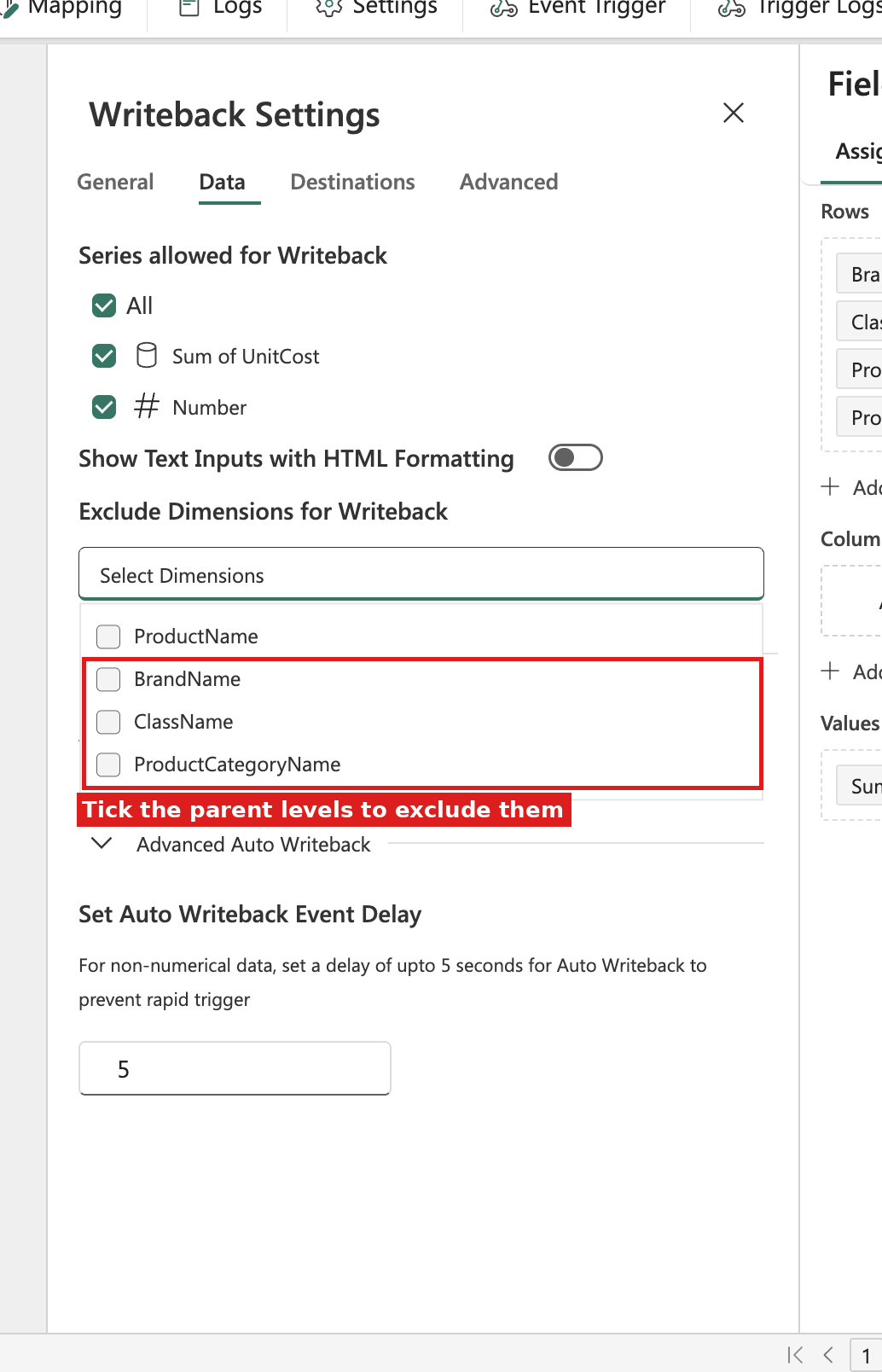
Step 2: Exclude the parent-level columns from writeback

Writeback Settings > Data > Exclude Dimensions for Writeback > tick the parent levels. You can also tick the account label column if you only want the ID.
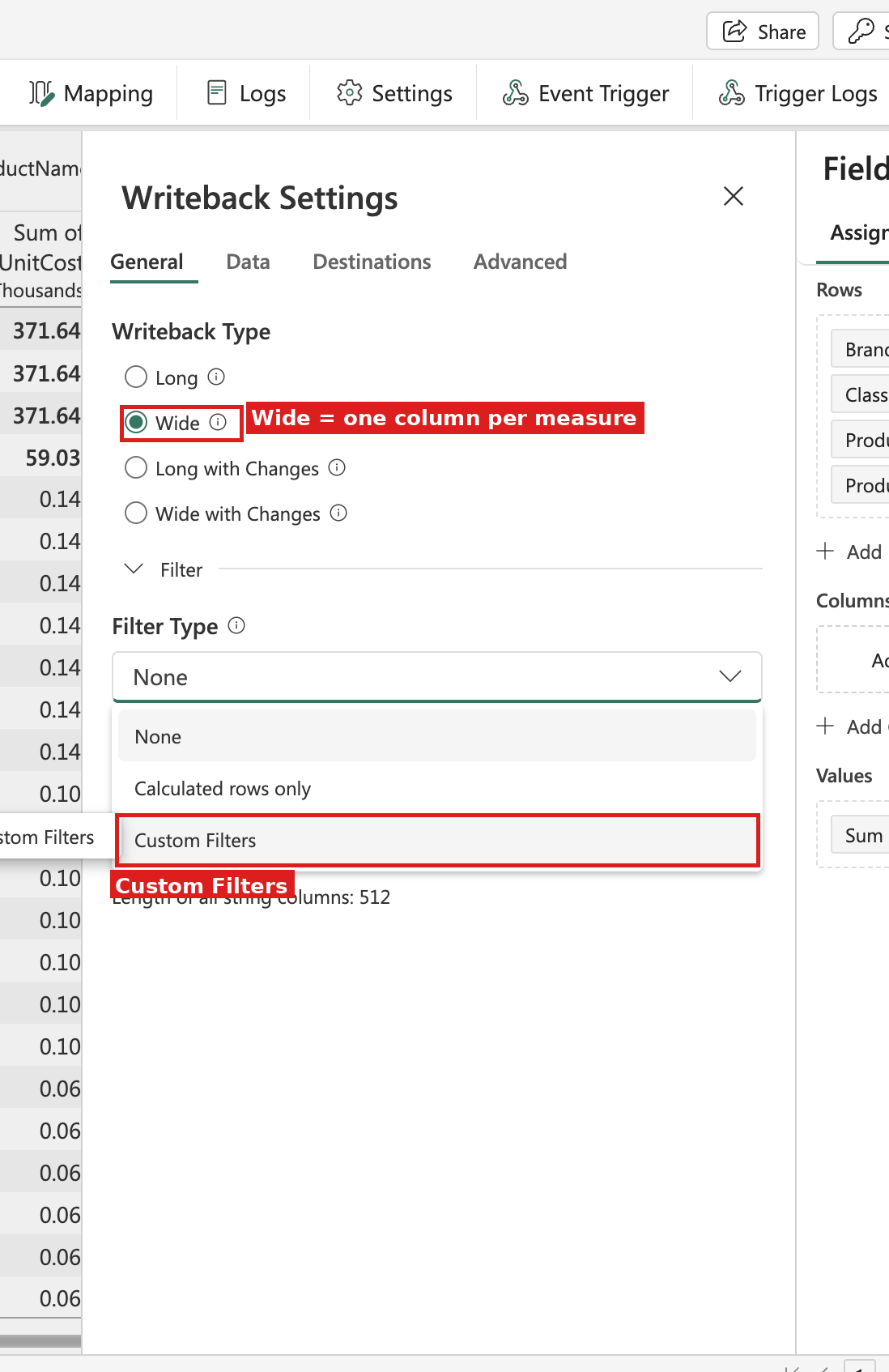
I have lots of NULL for the Value column. I only need rows where the Value column has anything else than NULL - or at least has a LastUpdatedAt date if the Value has been deleted at some point.
Writeback Settings > General > Filter Type = Custom Filters > your measure is not empty
When I add a writeback table to my semantic model, what I expect is a fact table: dimension ids, values, maybe some metadata. No extra rows for aggregated levels, no extra rows for item combinations without a value.
Set Writeback Type = Wide

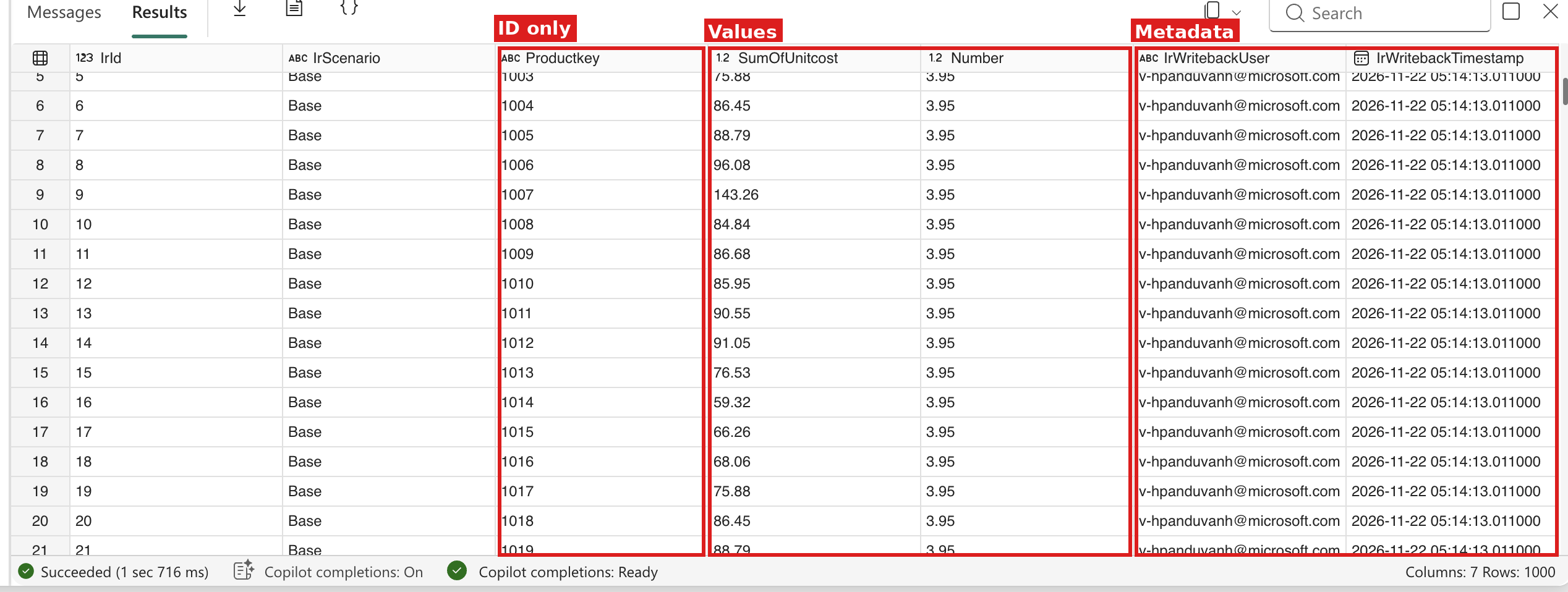
Combined with the steps above, you get the table in

an ID column, value columns, and metadata (user, timestamp). No parent-level columns, no subtotal rows, no empty rows.
Let me know if this works for you.
Viewing 3 replies - 1 through 3 (of 3 total)