This module guides you through basic interactions in the planning sheet, including how to add sheets, configure layouts, manage hierarchies, and sort and filter data.
Add planning, intelligence, and powertable sheets#
Plan offers integrated planning, BI, and data management on a single app. Use the Home ribbon to add planning, intelligence, and powertable sheets.
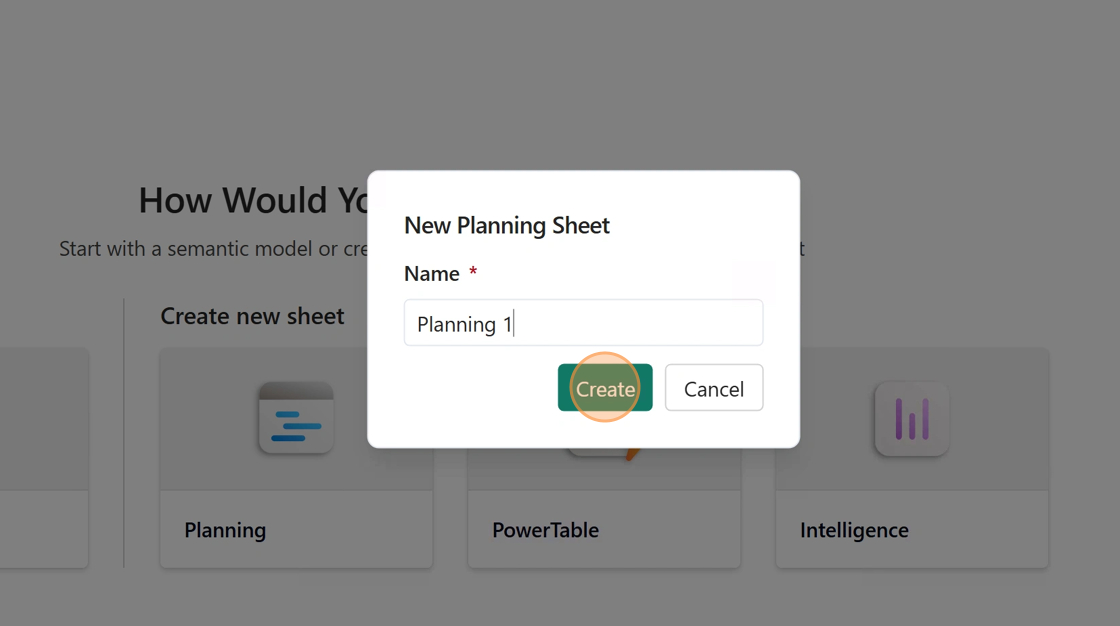
Select New Planning Sheet to create a new planning sheet.
Enter the sheet name and select Create.
A new planning sheet is created.
Select New PowerTable Sheet to create a powertable sheet.
Enter the powertable sheet name and select Create.
A powertable sheet is created.
Select New Intelligence Sheet to create an intelligence sheet.
Enter the intelligence sheet name and select Create.
A new intelligence sheet is created.
You can also select New Page and choose a sheet type to add more sheets.