This article describes how to get started with your first planning sheet inside planning in Fabric.
Before you set up planning sheets, make sure you have the following prerequisites:
Planning in Fabric IQ is now available to organizations worldwide as part of the Microsoft Fabric SKU. New billing meters have also been introduced and are now available for billing.

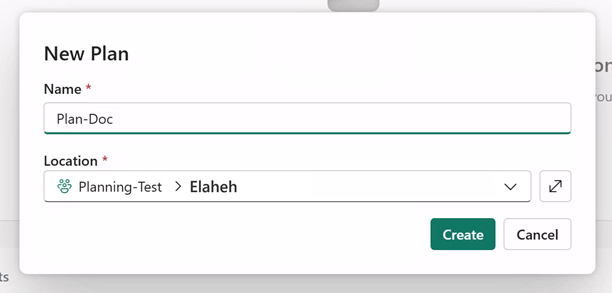
When you create a plan item, you also automatically create a Fabric SQL database in your workspace. This database stores your plan report's metadata.


In this section, you add the semantic model connection that you created earlier (see the Prerequisites section). The result of this step is that your planning sheet has access to data in the semantic model.

Only connections with the Power BI Semantic Model connection type that the current user has access to appear in this dropdown.
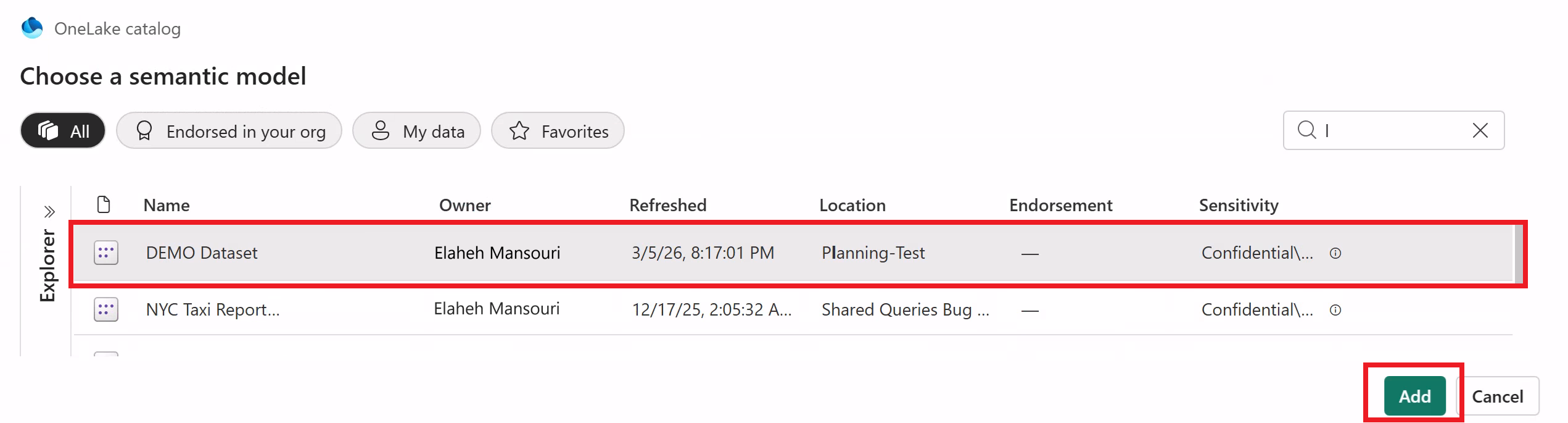

Each Plan item is associated with a single semantic model. To connect to a different semantic model, create a new Plan item.
You can create multiple Plan items within the same billing session. All items you create use the same active billing session, regardless of the number of items or use cases. For more information, see Billing and usage for Fabric Planning.
If you want to collaborate with others on this planning sheet, create a database connection for your plan item to store comments and other collaboration details. For more information, see Create a database connection for collaboration.


