Use the cube options to manage cube measures, synchronize them with the semantic model, modify breakdown dimensions, and control how cube measures are reused across planning sheets. The Data pane provides separate menus for the entire cube and for individual cube measures, enabling administrators and planners to perform bulk operations or manage specific measures independently.
You configure dimension breakdowns while creating a data input or forecast measure. To edit breakdowns, in the Model ribbon, go to Cube > Manage Breakdown and select the cube measure. Add, remove, or modify the breakdown dimensions associated with the selected cube measure.

Use the cube options to synchronize, monitor, and manage all cube measures in a planning sheet. In the Data pane, hover over the Cube section and select the More options (…) menu.

| Option | Description |
|---|---|
| Sync with Data | Synchronize all cube measures with the latest changes in the semantic model. |
| View Sync Logs | View the history and status of synchronization and cube management operations. |
| Delete | Permanently delete all cube measures in the planning sheet. This action also removes linked cube measures from other planning sheets and the Data pane. |
| Collapse All | Collapse all expanded cube measures. |
| Expand All | Expand and display all cube measures. |
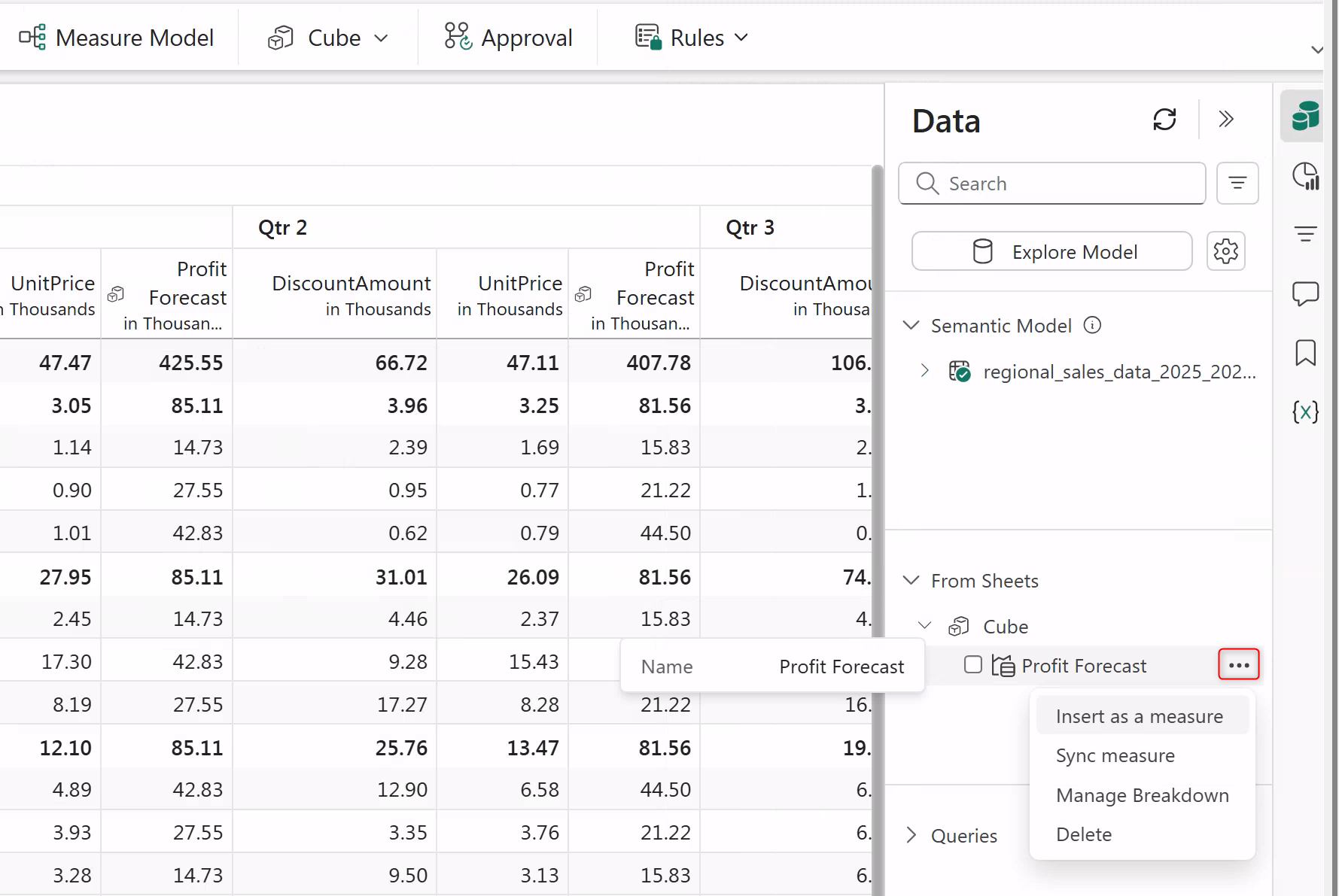
Use the cube measure options to reuse, synchronize, modify, or delete a specific cube measure. In the Data pane, hover over the cube measure and select the More options (…) menu.
| Option | Description |
|---|---|
| Insert as a Measure | Insert the selected cube measure into the current planning sheet. |
| Sync Measure | Synchronize only the selected cube measure with the latest changes in the semantic model. |
| Manage Breakdown | Add, remove, or modify the breakdown dimensions associated with the selected cube measure. |
| Delete | Delete the selected cube measure, remove it from linked planning sheets, and remove its references from the Data pane. |


