Use the OPEN_LINK function to navigate to an external URL when a user runs a script in a planning item. For example, configure a button that opens a website.
The following syntax opens an external URL.
OPEN_LINK("https://example.com")Replace "https://example.com" with the URL you want to open. Include the URL in quotation marks.
The following example opens the Microsoft website.
OPEN_LINK("https://www.microsoft.com")Add an action, select the root scope, and enter the following formula script:
OPEN_LINK("https://www.microsoft.com")Save the button configuration, and then select Update.
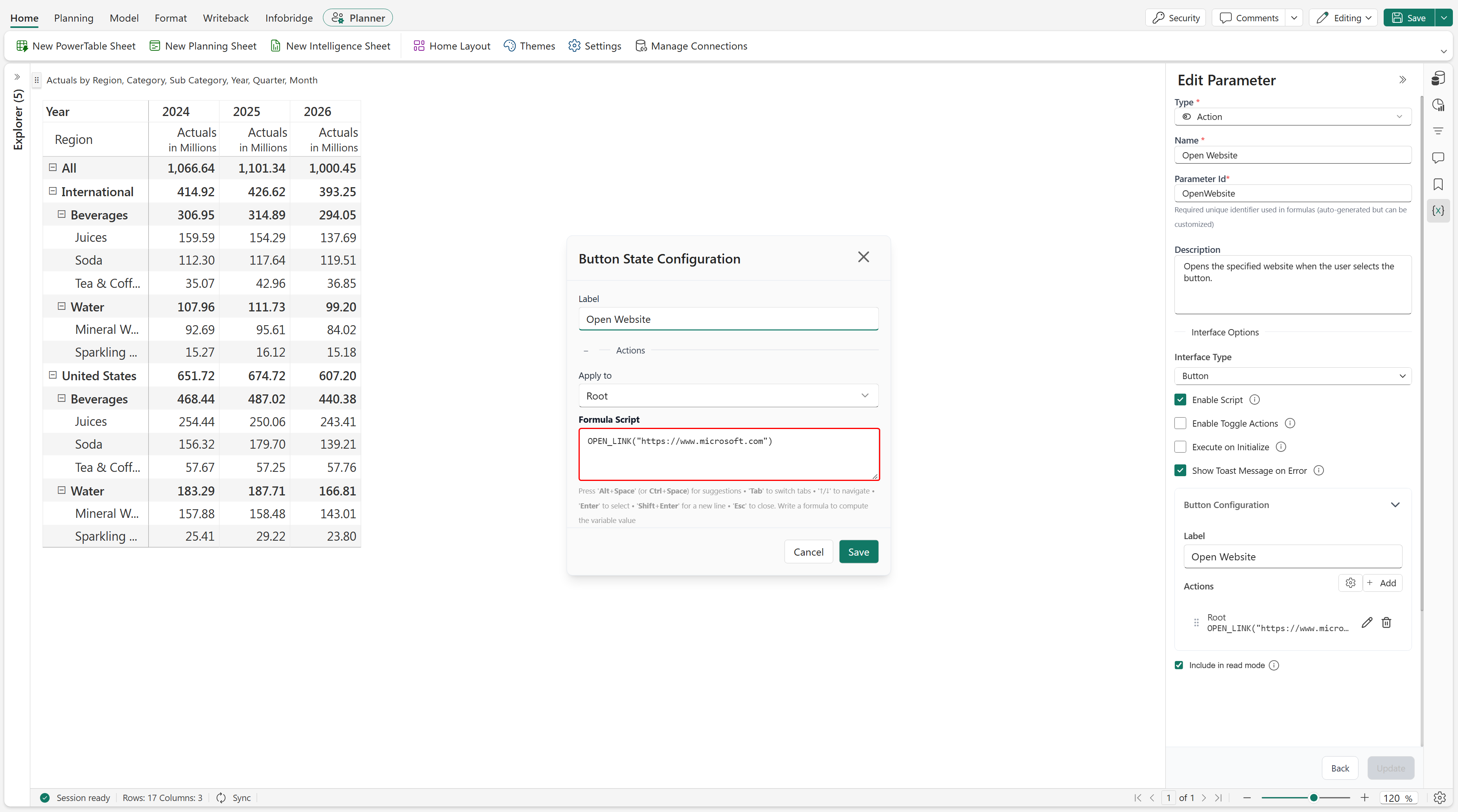
When a user selects Open Website, the planning item opens the specified URL in the browser.



