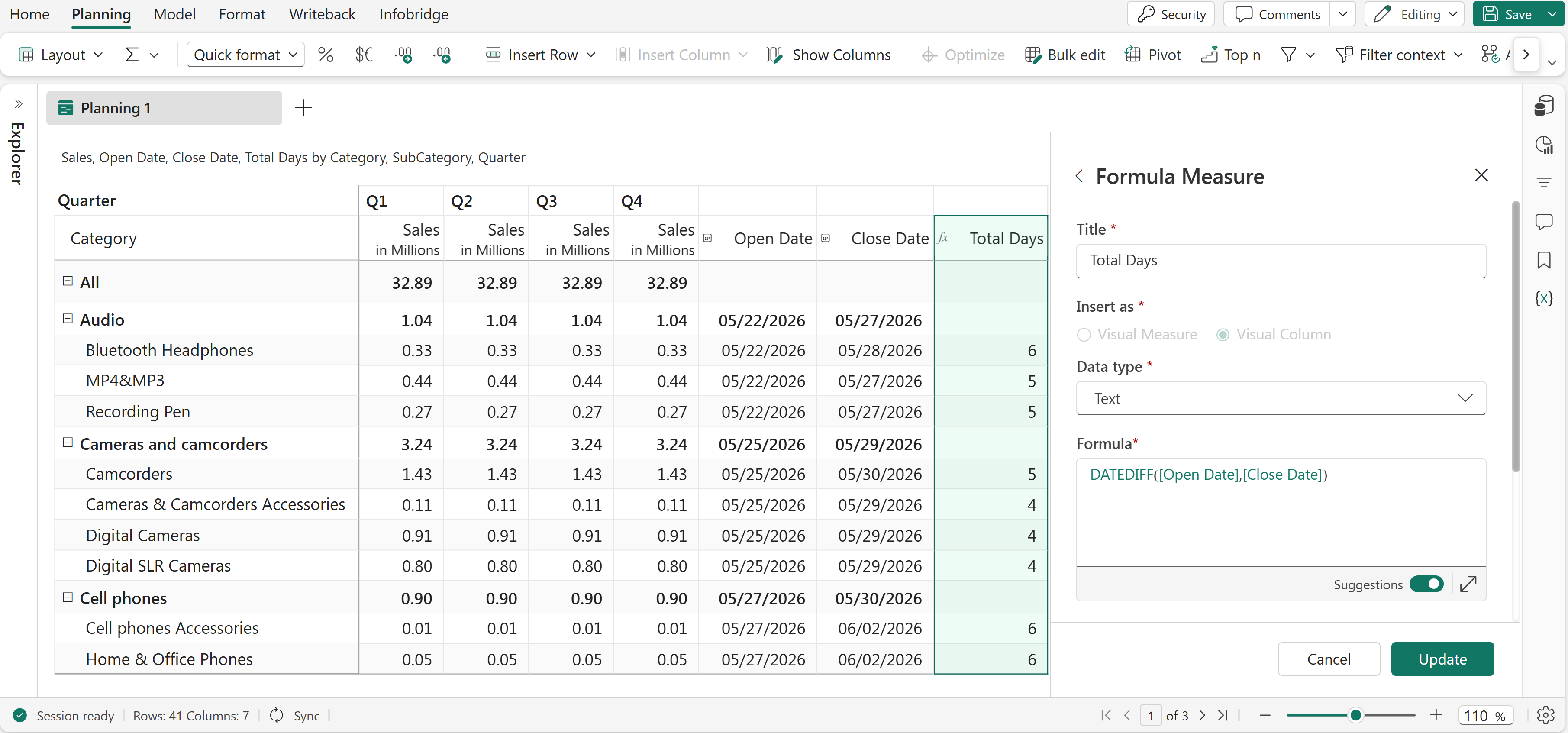
The DATEDIFF function returns the number of days between two dates. This function is commonly used to calculate durations, intervals, and date differences in reports and planning scenarios.
The input dates should be in MM/DD/YYYY format. References are also accepted as arguments.
DATEDIFF(fromDate, toDate)fromDate: The start date of the interval.toDate: The end date of the interval.Returns the number of days between the two dates.
DATEDIFF(Open Date, Close Date)Calculates the number of days between the Open Date and Close Date fields. For example, if Open Date is 05/22/2026 and Close Date is 05/28/2026, the function returns 6.