Experience-Specific Recovery Procedures for Planning in Fabric IQ
This guide walks you through the recovery procedures for the plan experience in IQ. It covers plan templates & app definitions, writeback data, approval workflows & cell-level comments, source data, and semantic models.
The preferred approach is to synchronize all plan items with an Azure DevOps (ADO) or GitHub repository using Fabric Git integration. After failover, the repository is used to rebuild items in the new workspace. The diagram illustrates this workflow.
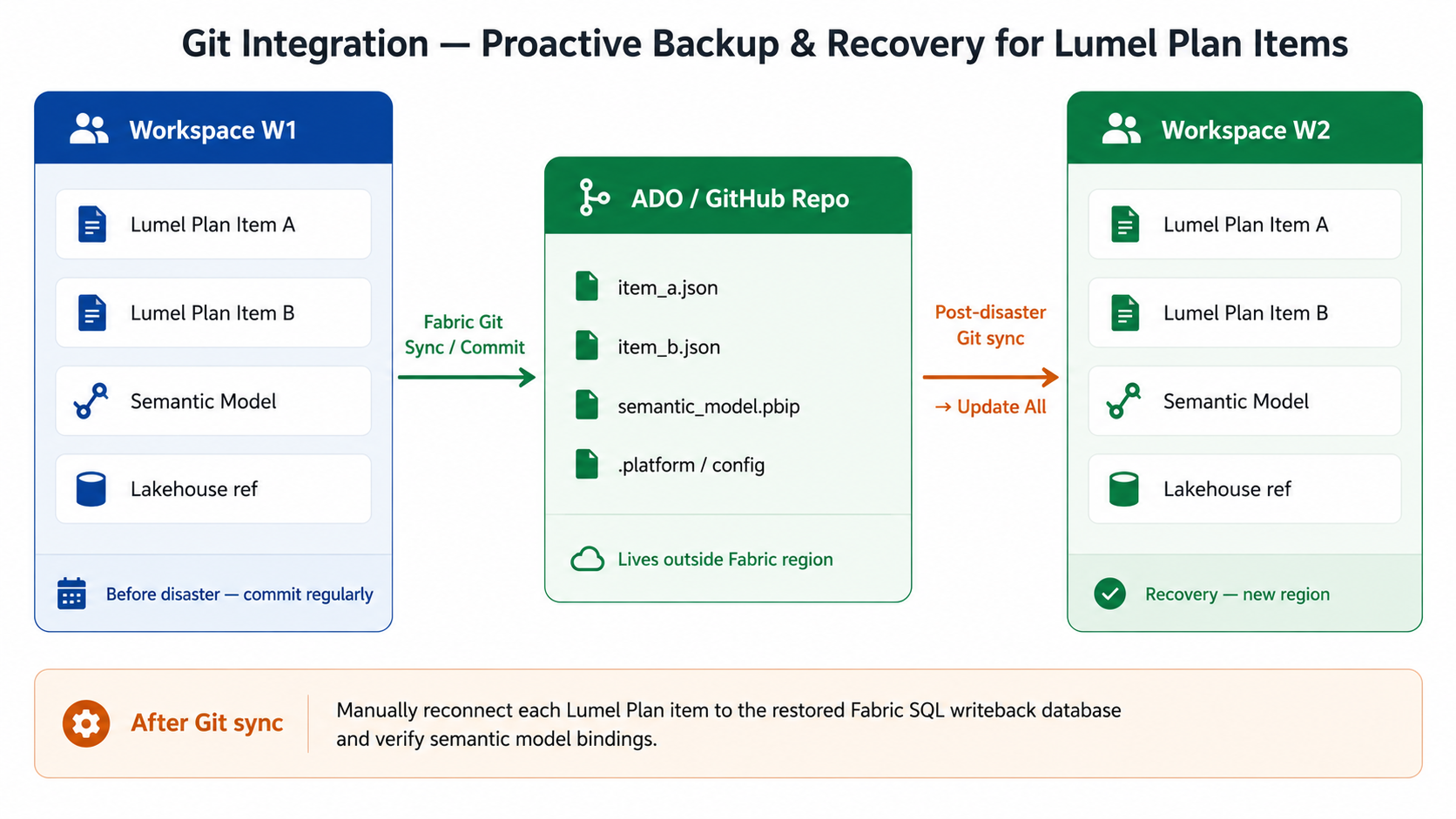
Pre-disaster (proactive steps):
1. In workspace W1, go to Workspace Settings and configure Git integration.
2. Select Connect and sync with your ADO or GitHub repository.
3. Select the plan item(s) to upload to the repository and select Commit.

4. Confirm that the Git status of plan items is Synced.
5. Establish a commit discipline - commit after every significant change to a plan definition so the repo always reflects the latest state.
Post-disaster (recovery steps):
1. Create a new workspace W2 inside capacity C2 in the healthy region.
2. In W2, go to Workspace Settings and reconnect to the same ADO/GitHub repository.
3. Select Source Control. Select the relevant repository branch and select Update All. All plan items are downloaded to W2.
Only the planning sheet structure and setting are recovered from Git integration.
Data input values, notes, and comments entered in the planning sheet will not be automatically restored. It requires Fabric SQL restore.
Semantic model data also needs to be recovered separately.
The following components are restored after recovery:
Data inputs and comments in planning sheets, tables used in powertable, and writeback data are stored in SQL databases and must be considered as part of your disaster recovery strategy.
Each plan item is associated with a __fabric_plan_sys database that stores metadata for planning features, including comments, scenarios, data inputs, and writeback configuration.
The __fabric_plan_sys database is not restored automatically and must be explicitly recovered.
If your plan uses SQL writeback destinations, the associated databases must also be recovered manually. Configured SQL writeback destinations are not restored automatically.
Any tables created using PowerTable are stored in a Fabric SQL database. These tables must also be recovered during DR.
To recover SQL databases, see the SQL database section.


