Determines the central value in a dataset.
The MEDIAN function returns the middle value in a list of numbers. It represents the central value when the numbers are arranged in ascending order.
For an even number of values, MEDIAN returns the average of the two middle values.
MEDIAN(number1, [number2], ...)The MEDIAN function syntax has the following arguments:
MEDIAN(10,30,50,40,20)
// returns 30
MEDIAN(10,30,50,60,40,20)
// returns 35
You can use the MEDIAN function to find the middle value of a dataset in metrics like salary, revenue, sales, or scores, especially when you want to reduce the impact of extreme values.
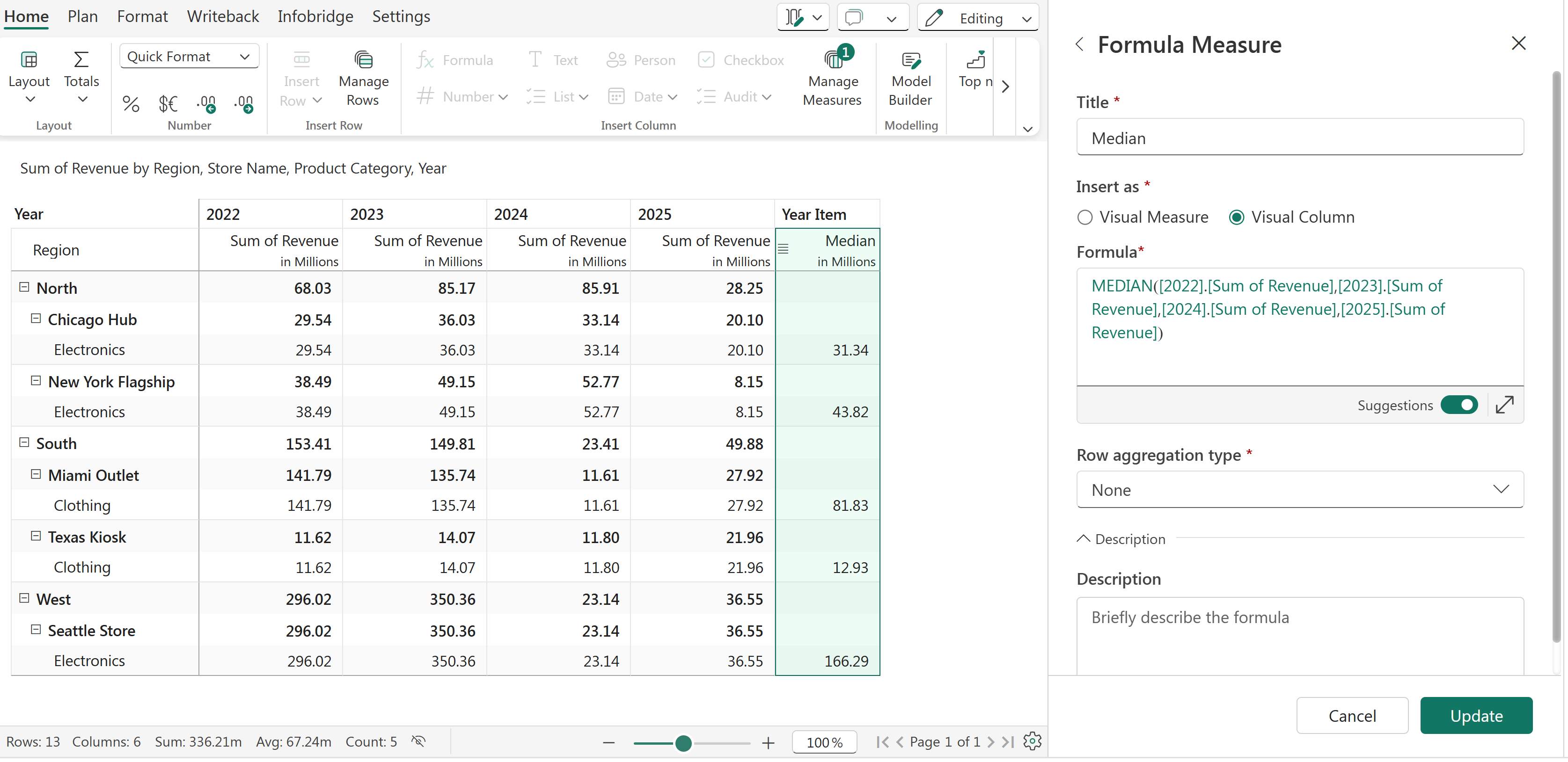
MEDIAN function
We can also use the SELECT function to select a range of columns from 1 to 4 for the 'Revenue' measure (2022 Revenue - 2025 Revenue).


